Professional Data Recovery Software for Windows
Fast scan โ Deep recovery, progressively going deeper so no recoverable file is missed. Whether you accidentally deleted files, emptied the Recycle Bin, or lost data due to disk formatting or partition failure, Data Recovery uses a multi-stage scanning engine to maximize the chance of recovering your precious data.
From quick scan to deep recovery, progressively going deeper so no recoverable file is missed
Quick Scan, Deep Scan, and Folder Scan modes progressively dig from file system indexes to MFT records and file signatures, ensuring no recoverable file is overlooked.
Scan volumes, physical disks, image files, or folders โ covering everything from live recovery to offline forensic analysis.
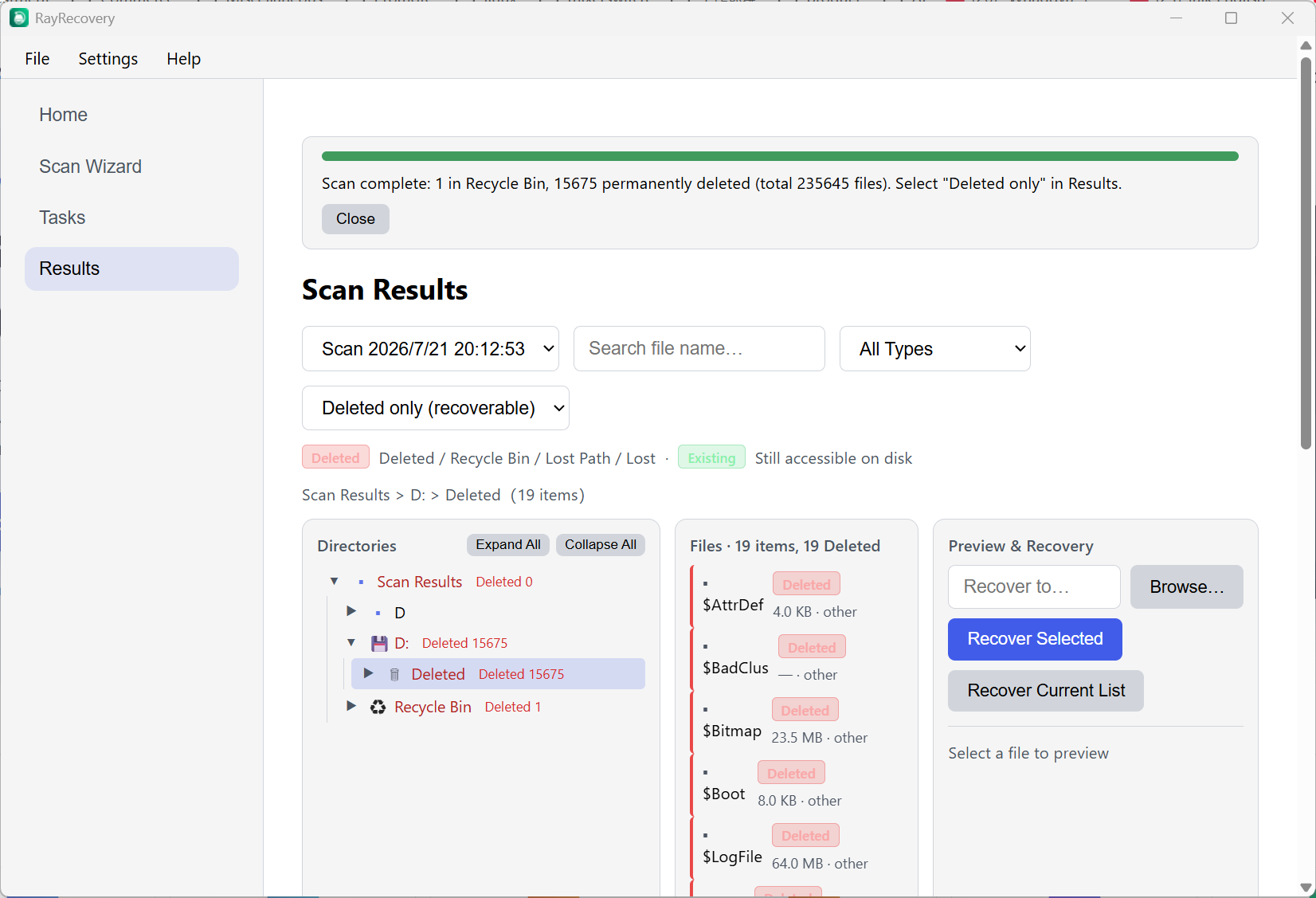
Browse results in a tree structure that mirrors the original file layout. Filter by file type or search by name to locate files instantly.
Pause, resume, or stop scans at any time. Save and load scan sessions to avoid rescanning, with real-time progress tracking across multiple tasks.
Multi-engine power, native lightweight architecture, and smart deduplication for maximum recovery quality
Integrates battle-tested tools โ Sleuth Kit, PhotoRec, TestDisk, and ddrescue โ working together to handle even the most complex data loss scenarios.
Directly parses the NTFS Master File Table to recover permanently deleted file records, digging into the file system layer to retrieve lost data.
Automatically identifies and removes duplicate entries from scan results, keeping the recovery list clean and accurate to save time.
Built on the Tauri framework with no need for .NET, Java, or other runtimes. Minimal memory footprint, fast startup, and works out of the box.
Covers accidental deletion, formatting, partition loss, disk image analysis, and other common data recovery needs
Recover important documents, photos, or videos that were accidentally deleted โ even after emptying the Recycle Bin. Supports NTFS, FAT32, and exFAT.
Data lost due to disk formatting or partition failure can be recovered through layer-by-layer scanning, maximizing the chance of restoring your precious data.
Recover lost files from USB drives, SD cards, and other portable storage. Scan the device directly or load an image file for offline analysis.
Low-level sector-by-sector scanning for damaged or lost partitions, plus offline analysis and recovery from disk image files for complex data loss scenarios.