SWF to Video
Preserve your Flash memories.
Convert old Flash games, animations, training material, and embedded video into modern formats you can play, edit, share, and archive on current Windows systems.
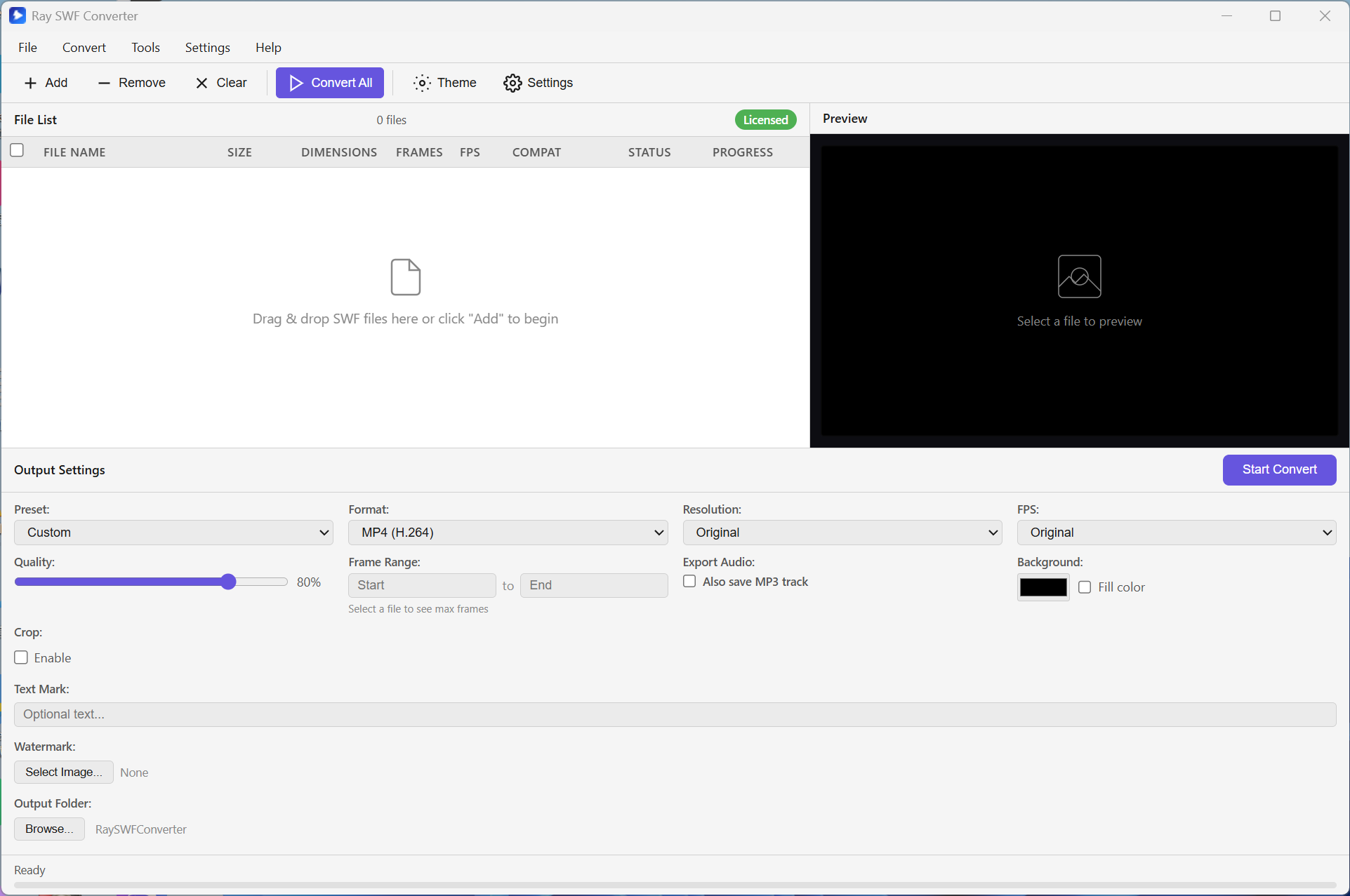
Preserve your Flash memories.
Convert old Flash games, animations, training material, and embedded video into modern formats you can play, edit, share, and archive on current Windows systems.
A focused Flash preservation tool
Preview, crop, convert — built for Flash archives and everyday exports
Export to MP4, AVI (with or without transparency), MOV, FLV, WMV, MKV, MPEG, 3GP, animated GIF, PNG/BMP/JPG/TIFF sequences, or MP3/WAV audio.
Add files, folders, or a URL. Convert many SWFs in one go — pause, resume, or cancel anytime.
Scrub frames on a stable 16:9 preview. Drag a crop region (or set numbers) so the export matches what you see.
One-click device presets (iPhone, PSP, 3GP, DVD, and more). Add image or text watermarks, background fill, and optional audio sidecar.
Sequences stay tidy · compatibility hints · light on Windows
PNG, BMP, JPG, and TIFF frames land in their own subfolder per file — easier to find and import into editors.
Each file shows how well it is expected to convert, so you know what to expect before you start.
Trial builds may add a small Rayexa mark. Activate a license for clean, unrestricted exports.
English or Chinese UI. Switch light and dark themes to match your desktop.