Want to queue many downloads quickly? Use Batch Download on the Home page, paste your links, and let each task try the highest available quality first.
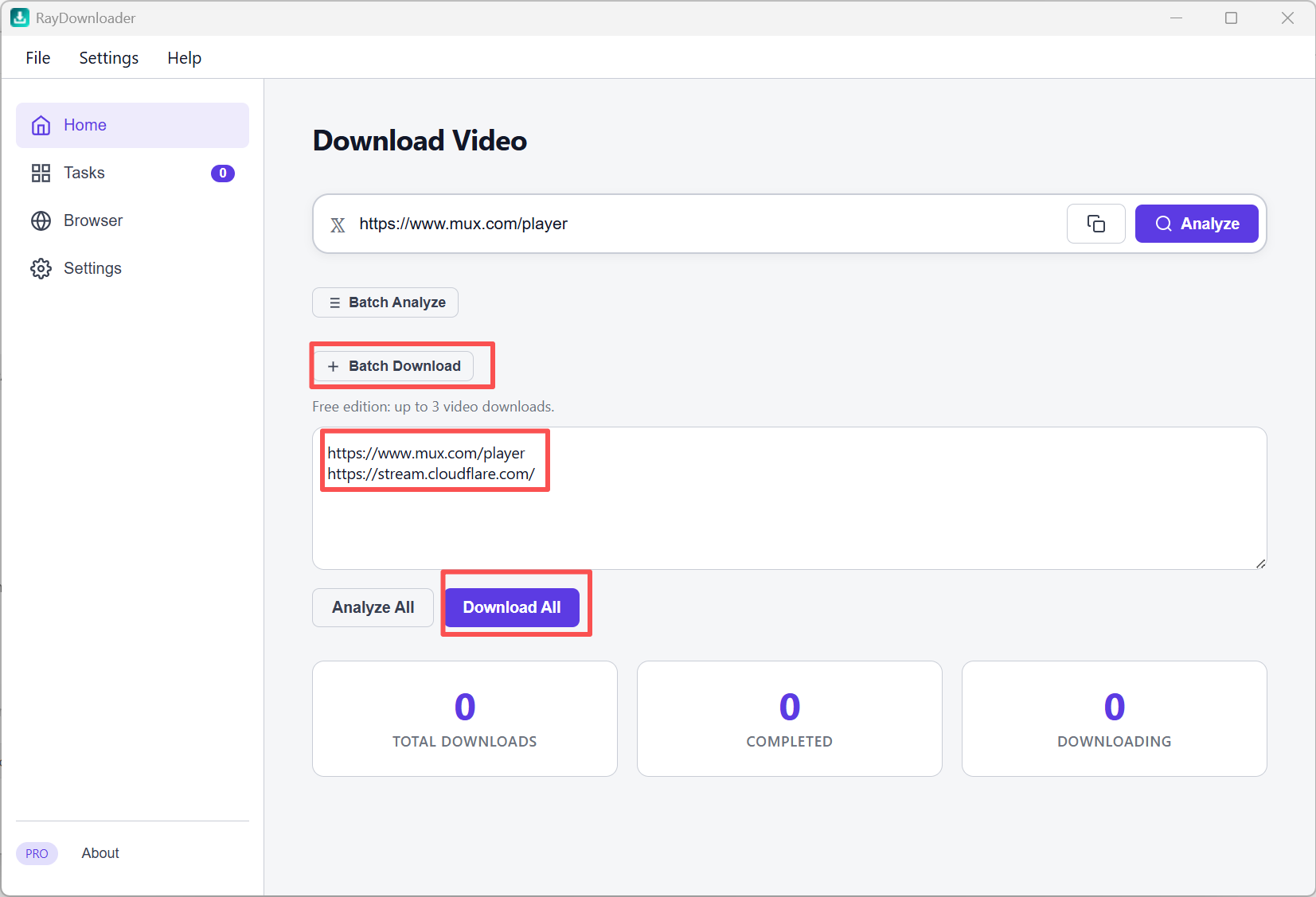
Step 1. On the Home page, click + Batch Download. Paste multiple video URLs (one per line), then click Download All.
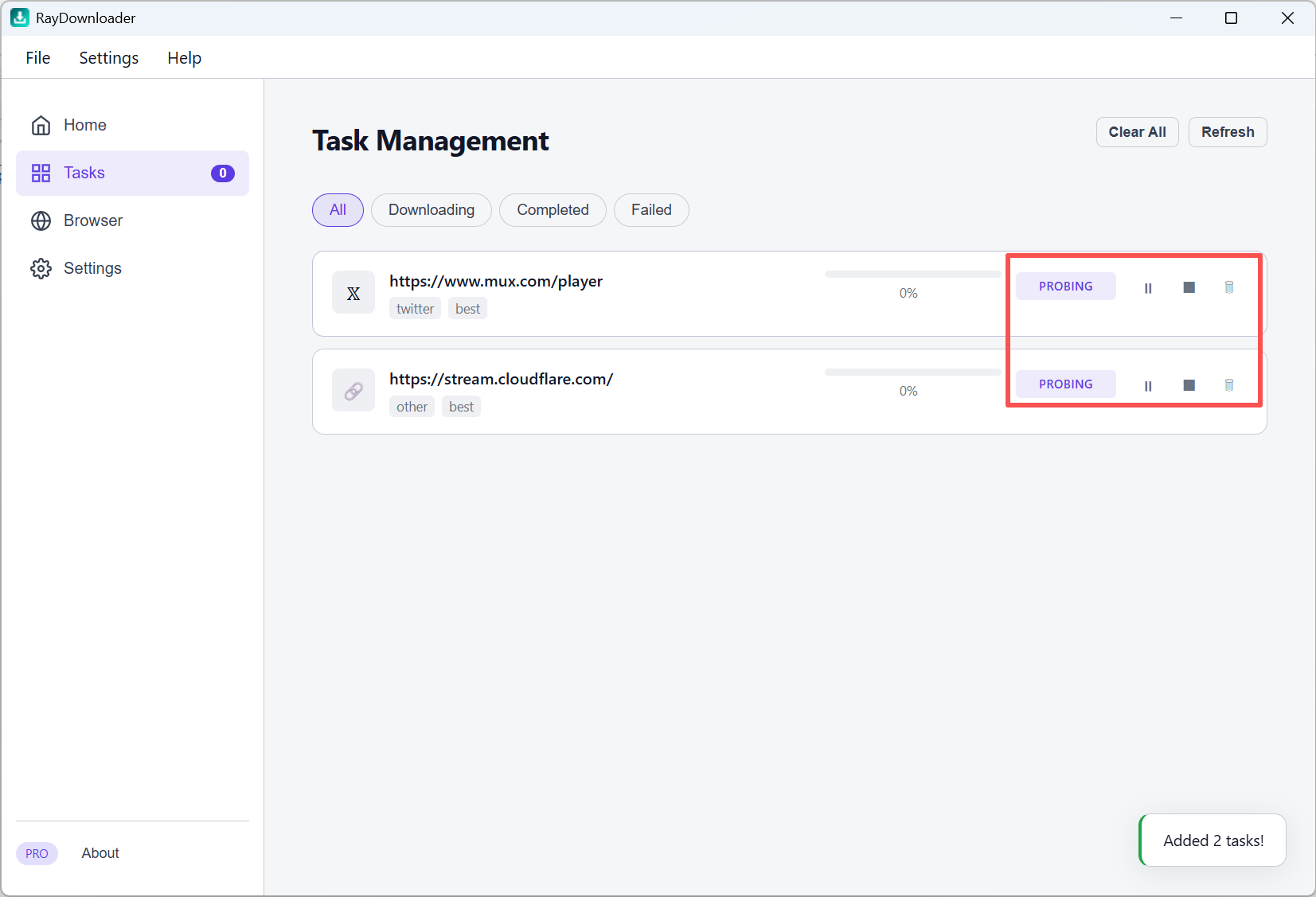
Step 2. Open Tasks to view progress. Pause or stop tasks as needed.
Step 3. When a task shows Completed, click the folder button to find the saved file.
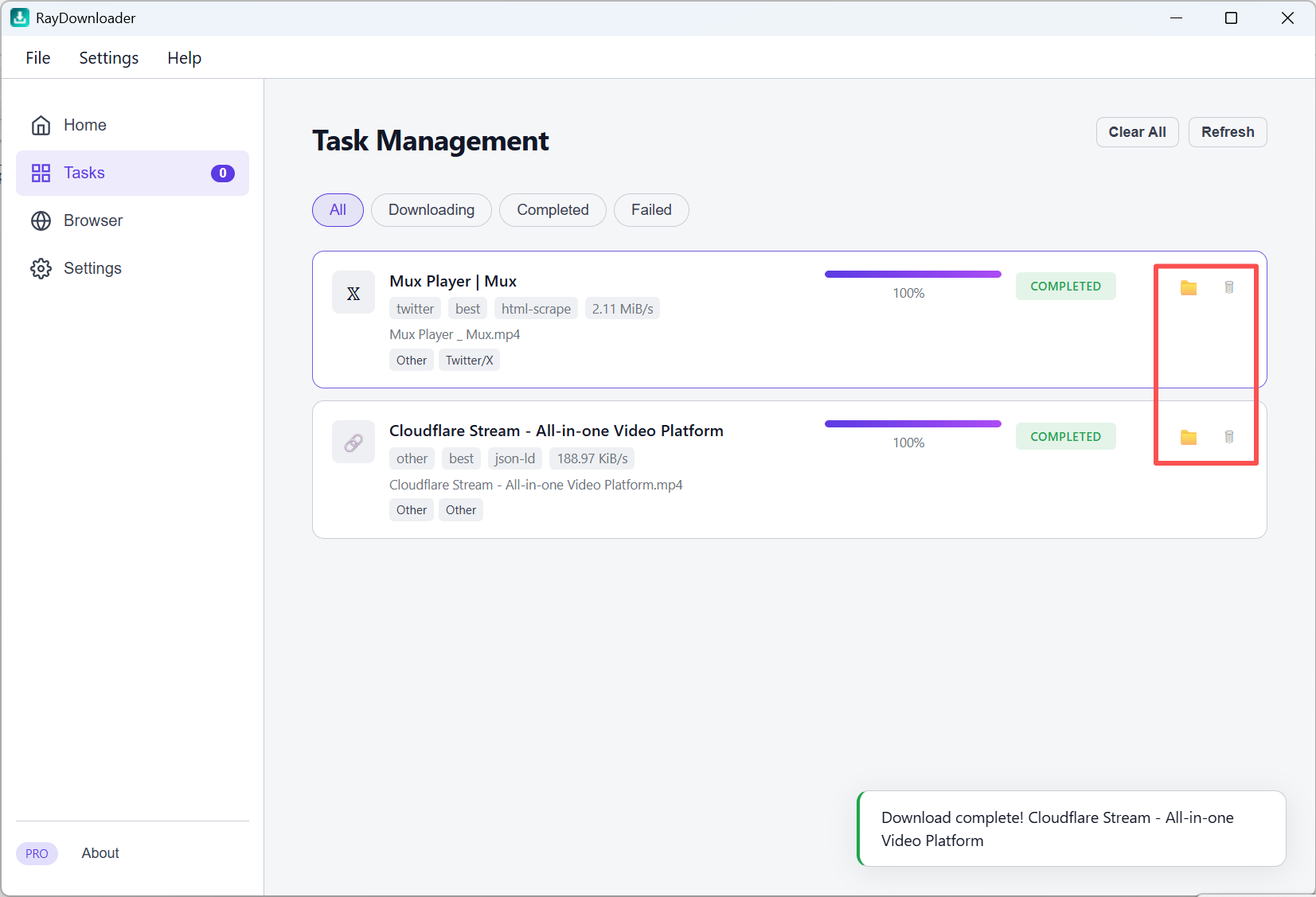
That's it 鈥?files are saved under Settings 鈫?Download Path.