When a normal Analyze fails, use Browser Probe. Open the page inside RayDownloader, play the video, capture the stream URL, then download it.
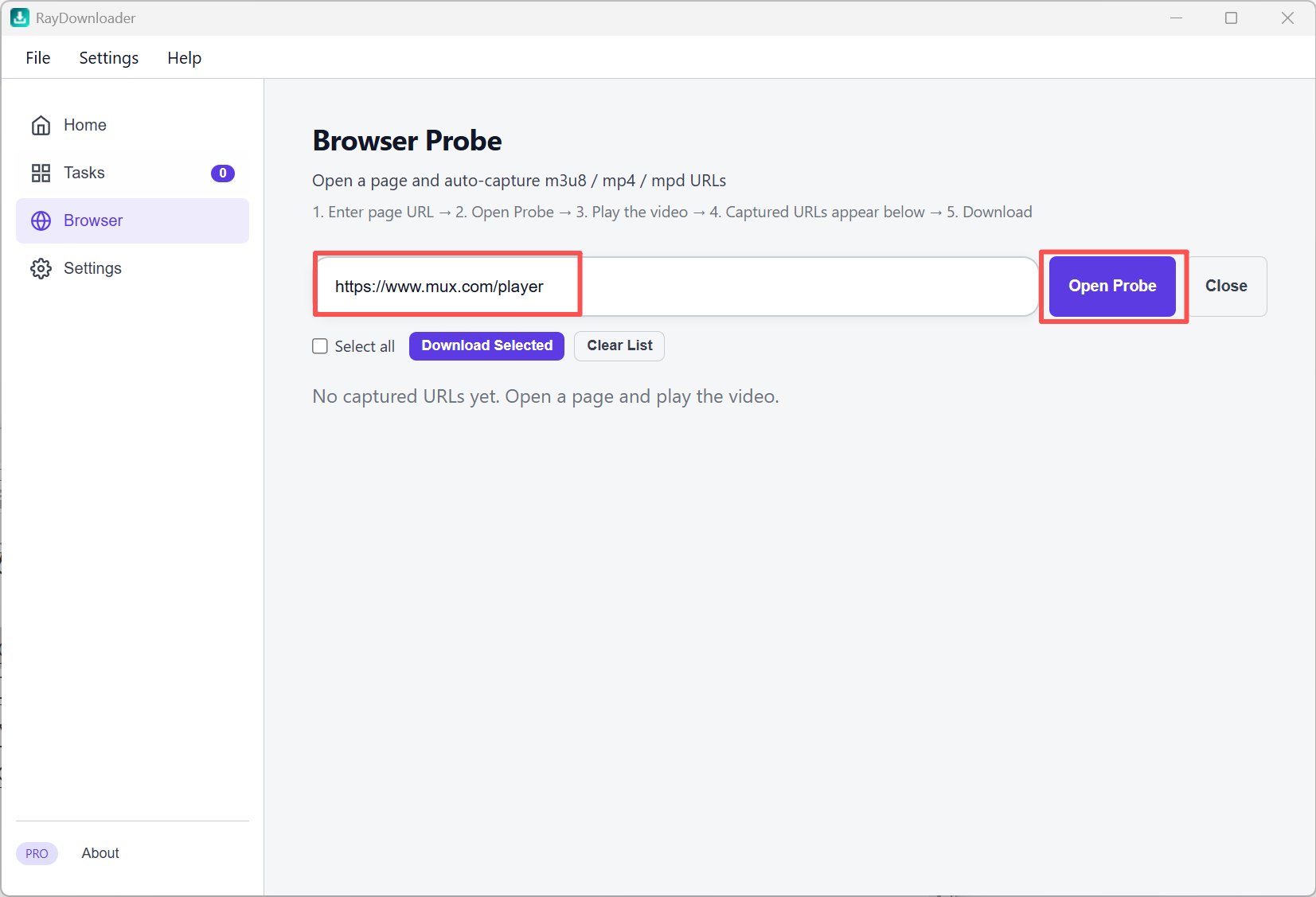
Step 1. Click Browser in the left sidebar. Paste the video page URL, then click Open Probe.
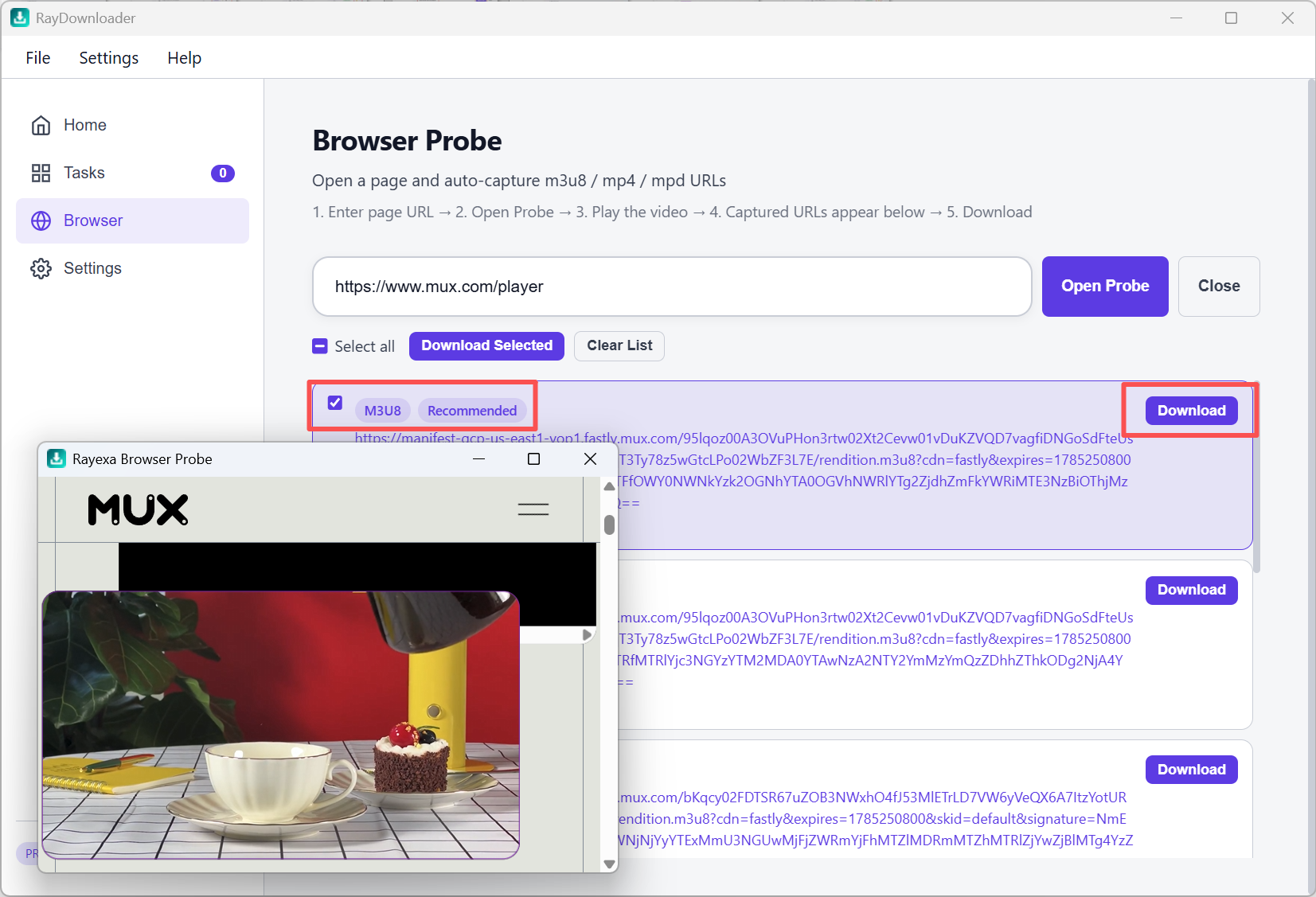
Step 2. Play the video so streams are captured. Select a stream from the list, then click Download.
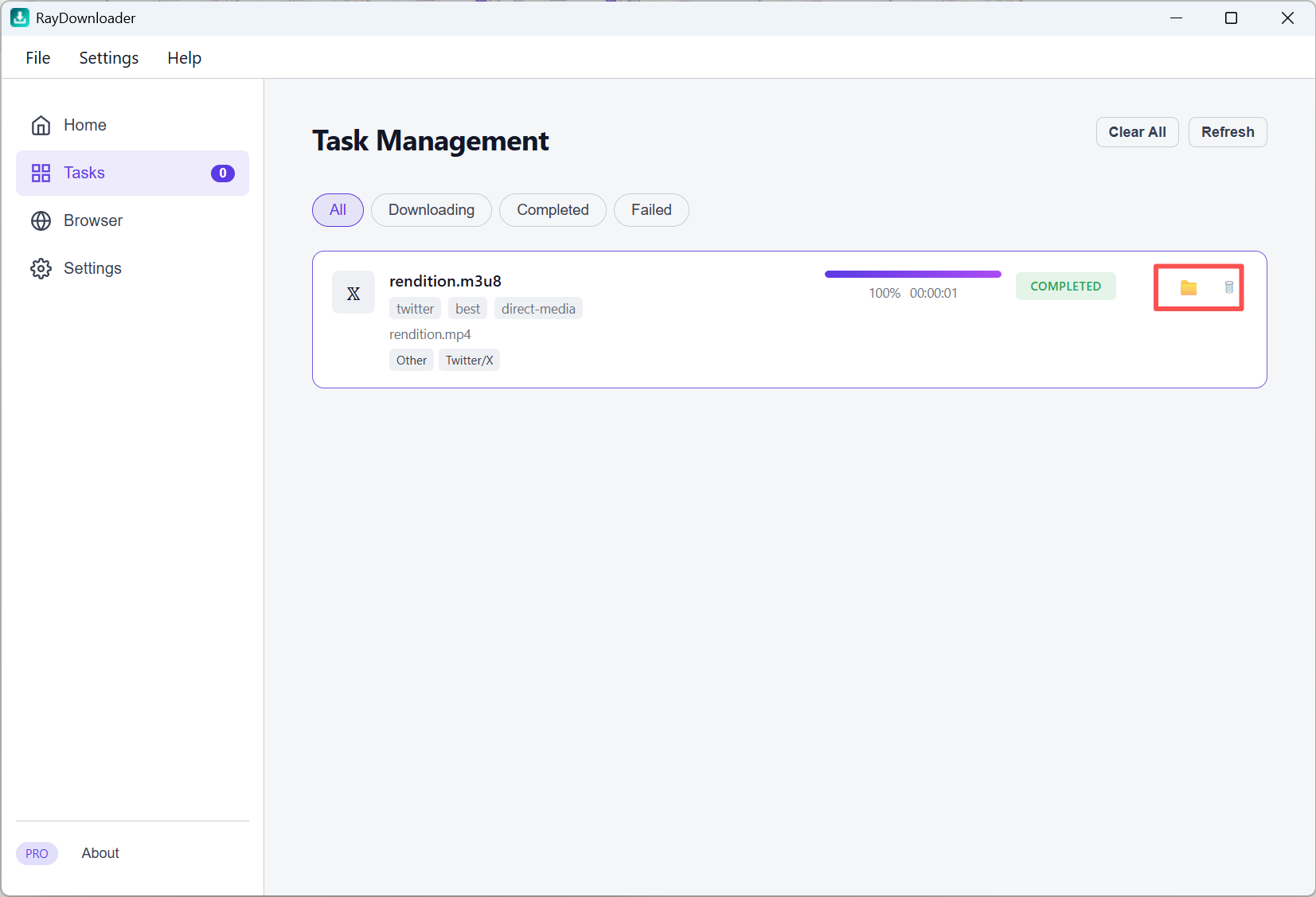
Step 3. Open Tasks to track progress. When it shows Completed, click the folder button to find the file.
That's it 鈥?the file is saved under Settings 鈫?Download Path.