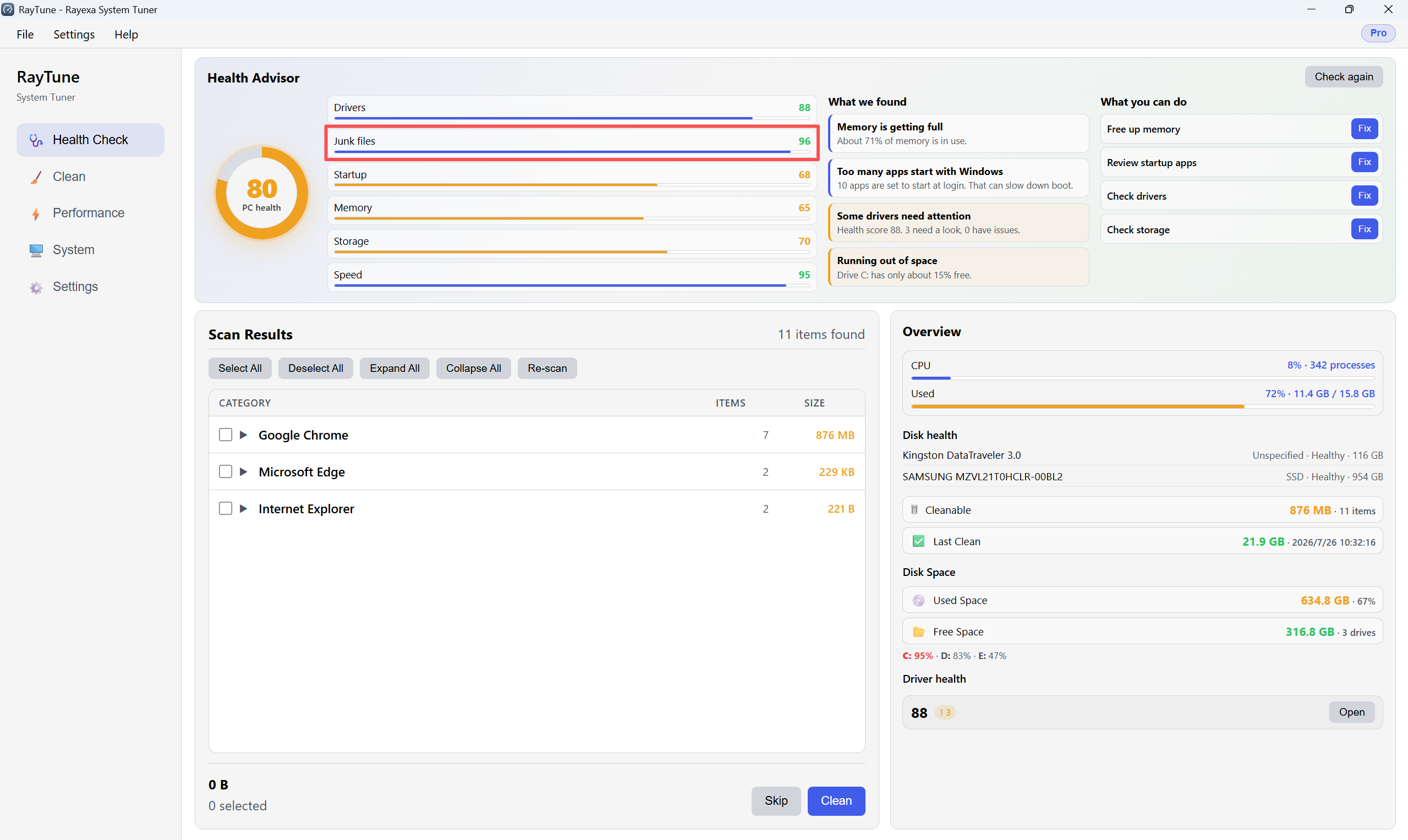
Health Check shows your PC health score and finds junk files you can remove.
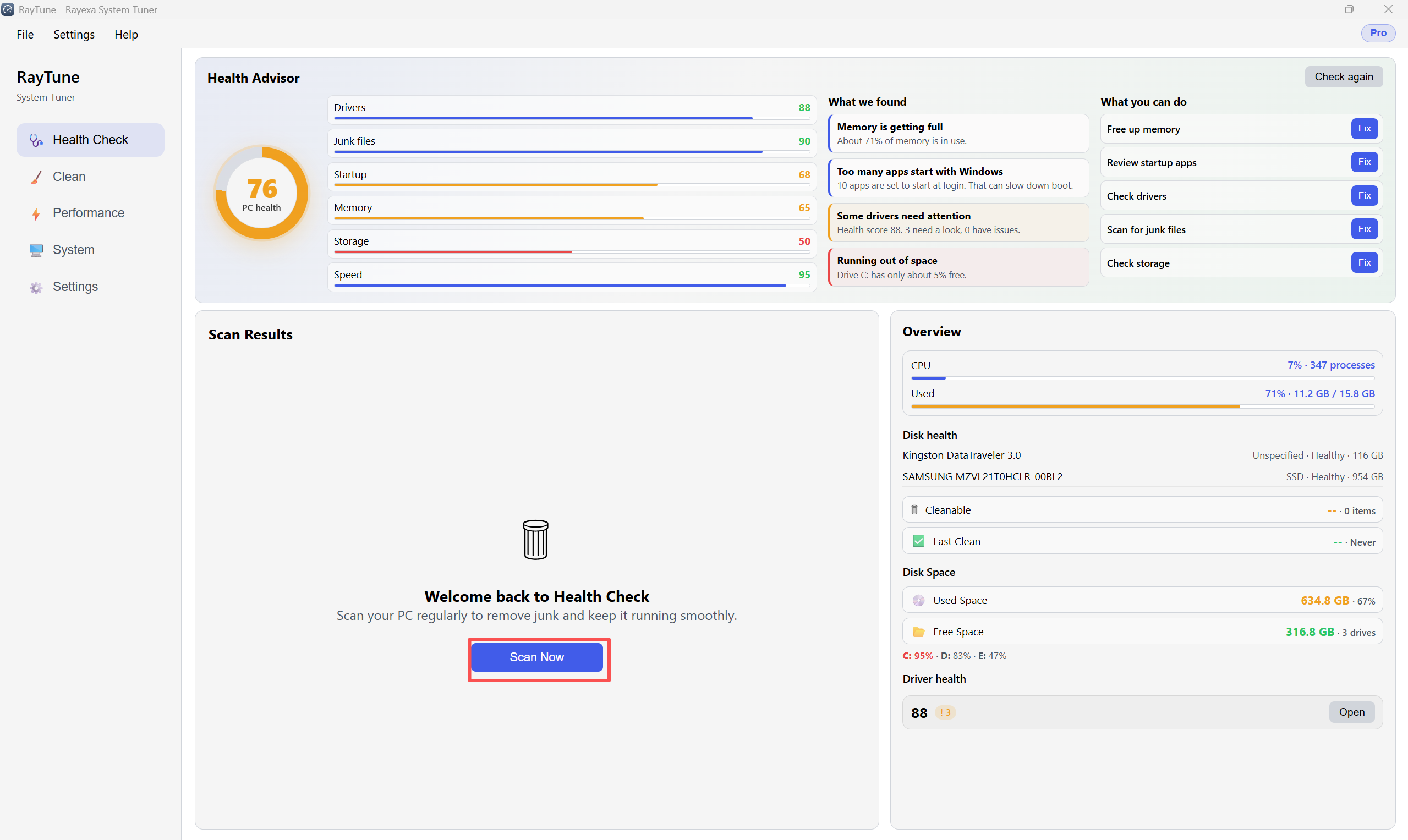
Step 1. Open Health Check in the left sidebar. Review the score, then click Scan Now.
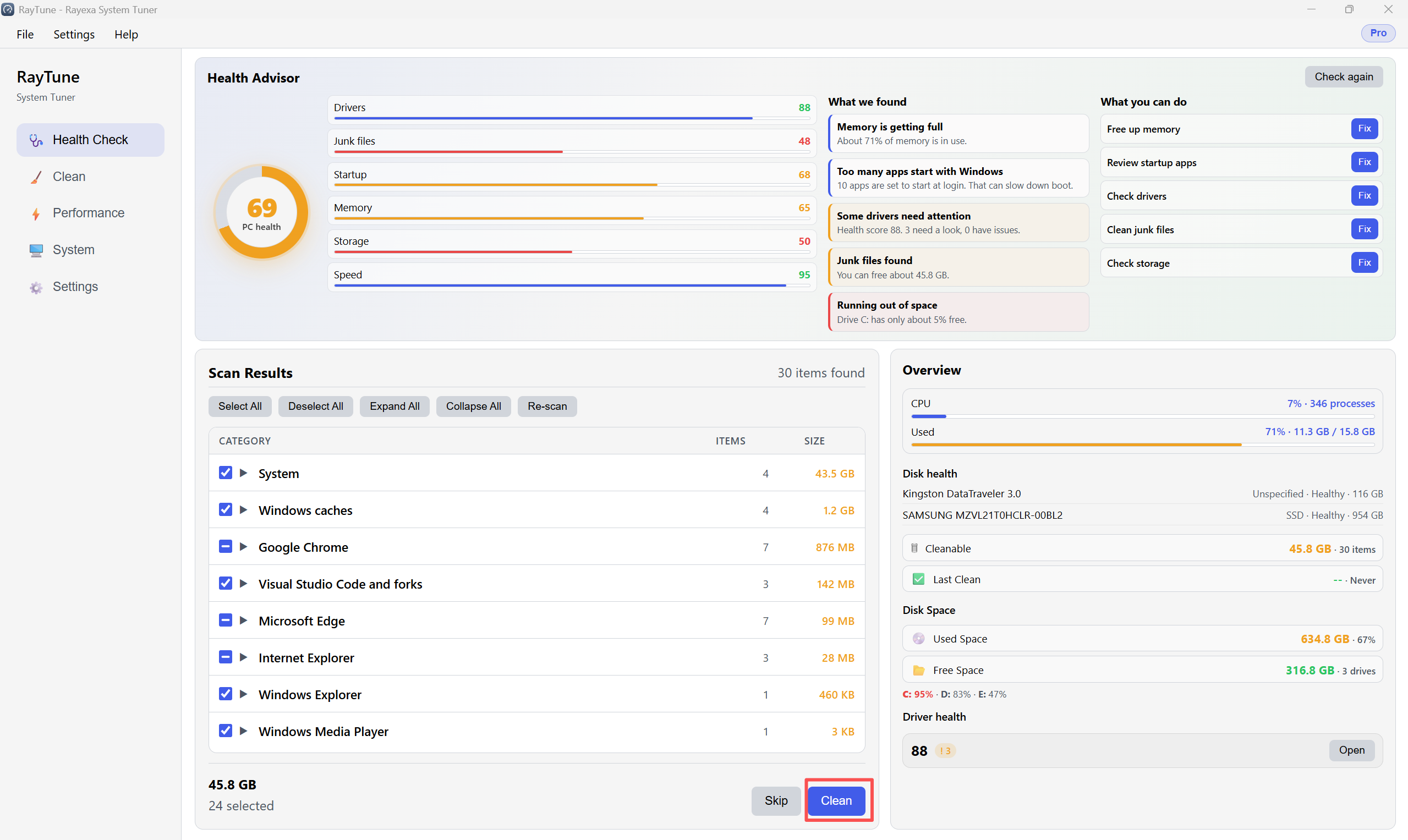
Step 2. When the scan finishes, select items under Scan Results, then click Clean.
Step 3. Check the improved score and freed space in the overview.