RayTune

A practical Windows performance toolkit.

Review system health before making changes, reduce startup load, check drivers, control power modes, clean unnecessary files, and free resources before gaming. RayTune Pro adds repairs and scheduled maintenance.

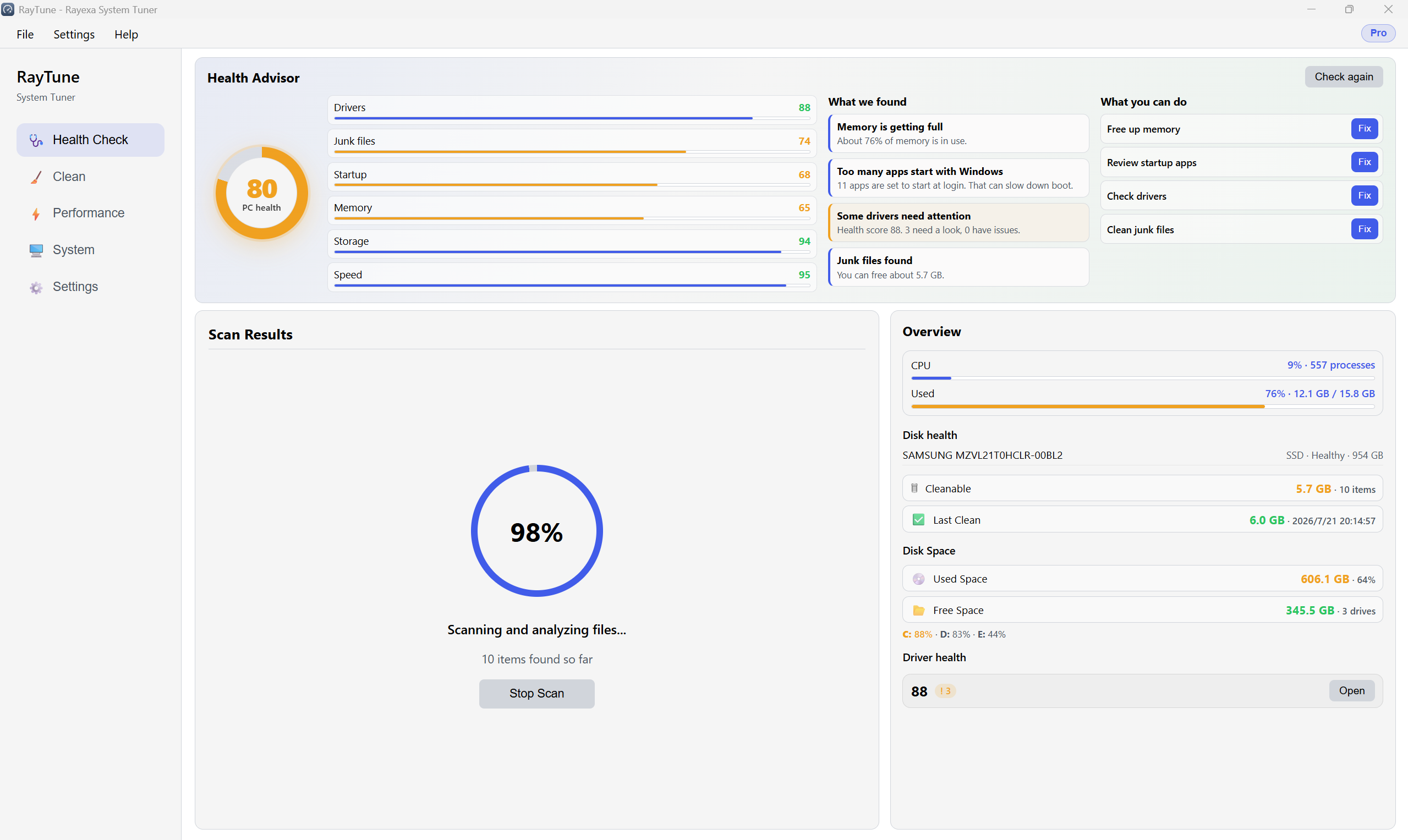
RayTune PC health dashboard

For gaming PCs and Windows systems that need clearer maintenance.

Gaming PCsFree resources, control power mode, and reduce background load.
Older computersFind startup impact, junk, large files, and common bottlenecks.
Home usersReview health and suggested actions before applying changes.
Support workInspect drivers, startup, processes, services, and cleanup history.

Inspect first, then clean and optimize

Discover with Free · apply and automate with Pro

Health advisor & clean

See a PC health score with clear issues and next steps. Scan and clean junk freely; Pro adds scheduled auto-clean.

Driver health

Free scan, score, and stability hints. Pro repairs devices, removes leftovers, installs Windows Update drivers, and backs up.

Game Boost & power

Free: manual Game Boost and Performance / Balanced / Battery power modes. Pro: auto-detect games and focus resources when you play.

System tools

Startup impact, processes, services, disk/memory tools, large/duplicate files — on Free. Pro installs software updates and one-click startup optimize.

Everyday control and safety

Privacy toggles, low memory use, tray & settings

Fast start, low memory

Quick startup, light on memory, single instance and tray support.

Broad app coverage

Clean browsers, office apps, and common desktop tools with curated cleaner rules that stay up to date.

Privacy & safety

Separate toggles for cookies, history, and logs. Optional restore point before clean; destructive actions need confirmation; clean history for audit.

Desktop convenience

Import/export settings, launch at Windows startup, and minimize to the system tray.

Free vs Pro

Free discovers and cleans manually · Pro applies fixes and automates maintenance

Feature Free Pro
Health advisor Score / issues / tips Same + Pro actions gated
Junk clean (health / custom) + scheduled auto-clean
Large files / duplicates
Startup / system tools Edit + impact score + one-click optimize
Memory optimize 3× / day Unlimited
Disk Scan / analyze
Driver health Detect / score Repair / install / backup
Driver backup
Software updates View list Install / rollback
Game Boost Manual Auto-detect games
Power modes
Scheduled maintenance
Registry / uninstall leftovers / shredder

RayTune is a free health-scan entry, not a locked cleaner. Pro sells one-click apply and automation — driver repair, software install, disk optimize, auto Game Boost, and scheduled cleanup.

System Requirements

OS

Windows 10 / 11 (64-bit)

Disk space

~80 MB

Privileges

Admin recommended for disk optimize, driver repair, and restore points

Network

Pro license verification online (7-day offline cache)