Want to save an online video to your PC? With RayDownloader you can do it in a few clicks. Download the app from rayexa.com, install and launch it, then follow the steps below.
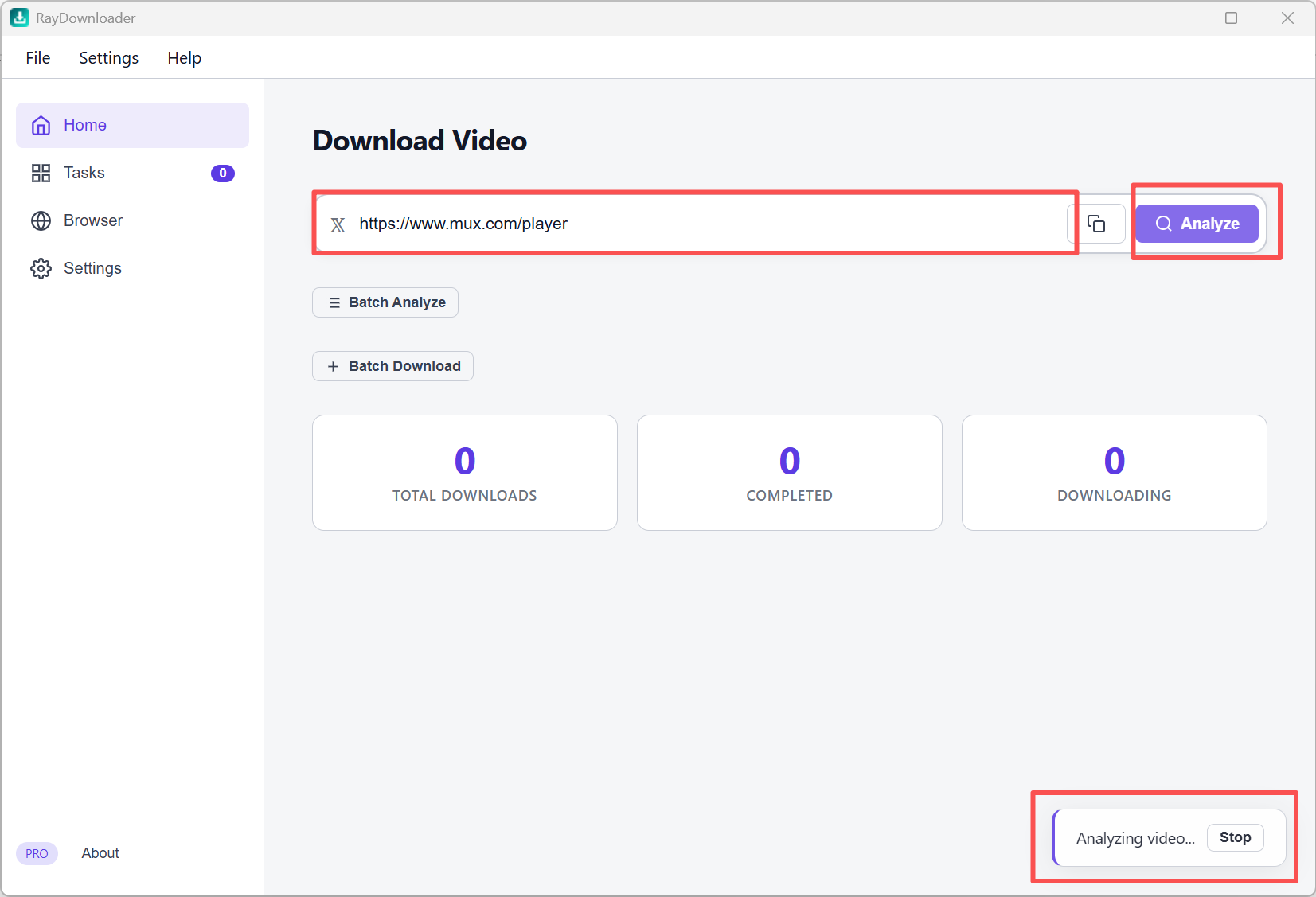
Step 1. On the Home page, paste a video URL into the address field, then click Analyze.
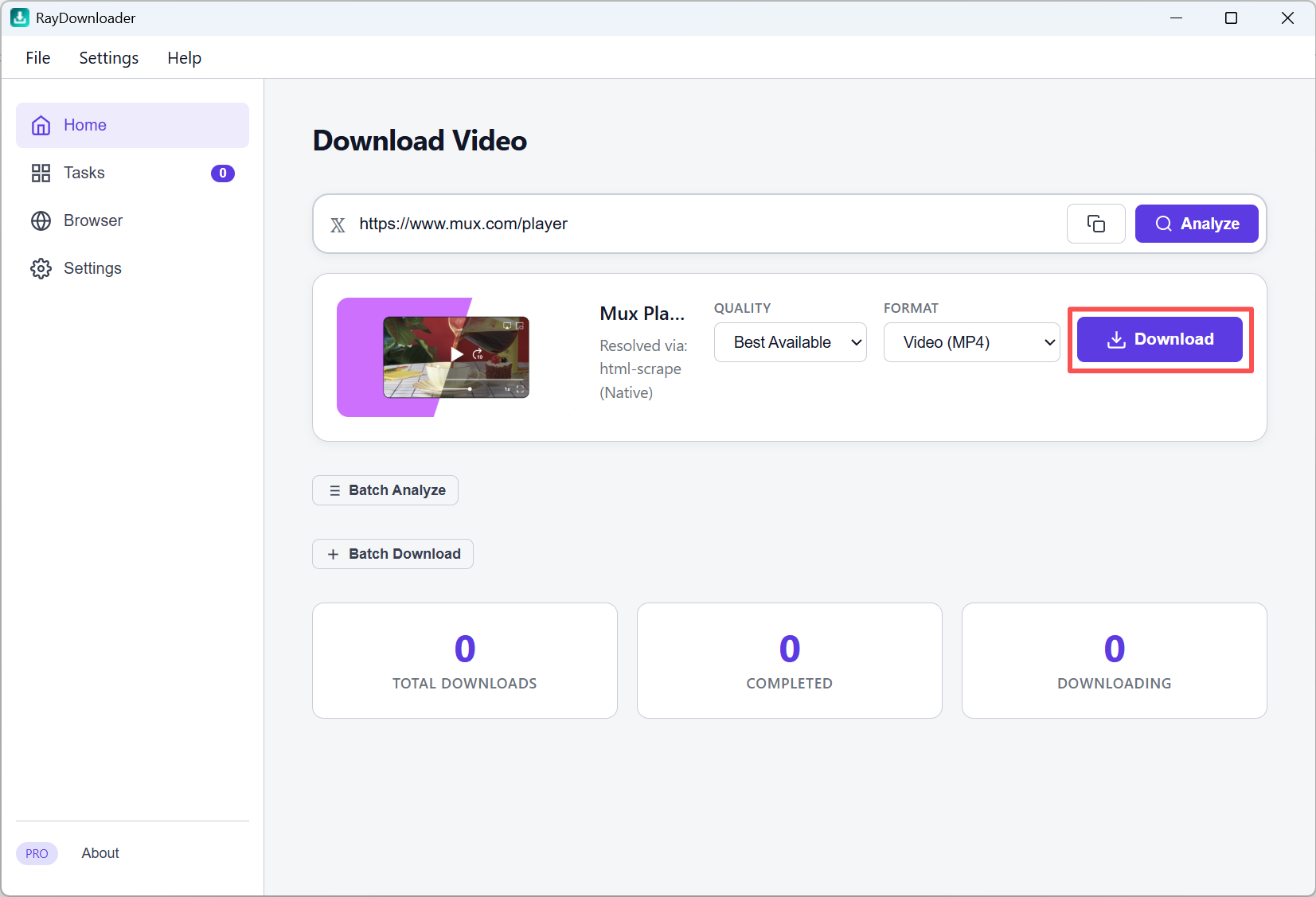
Step 2. When the preview card appears, choose Quality and Format, then click Download.
Step 3. Open Tasks to track progress. When it shows Completed, click the folder button to find the file.
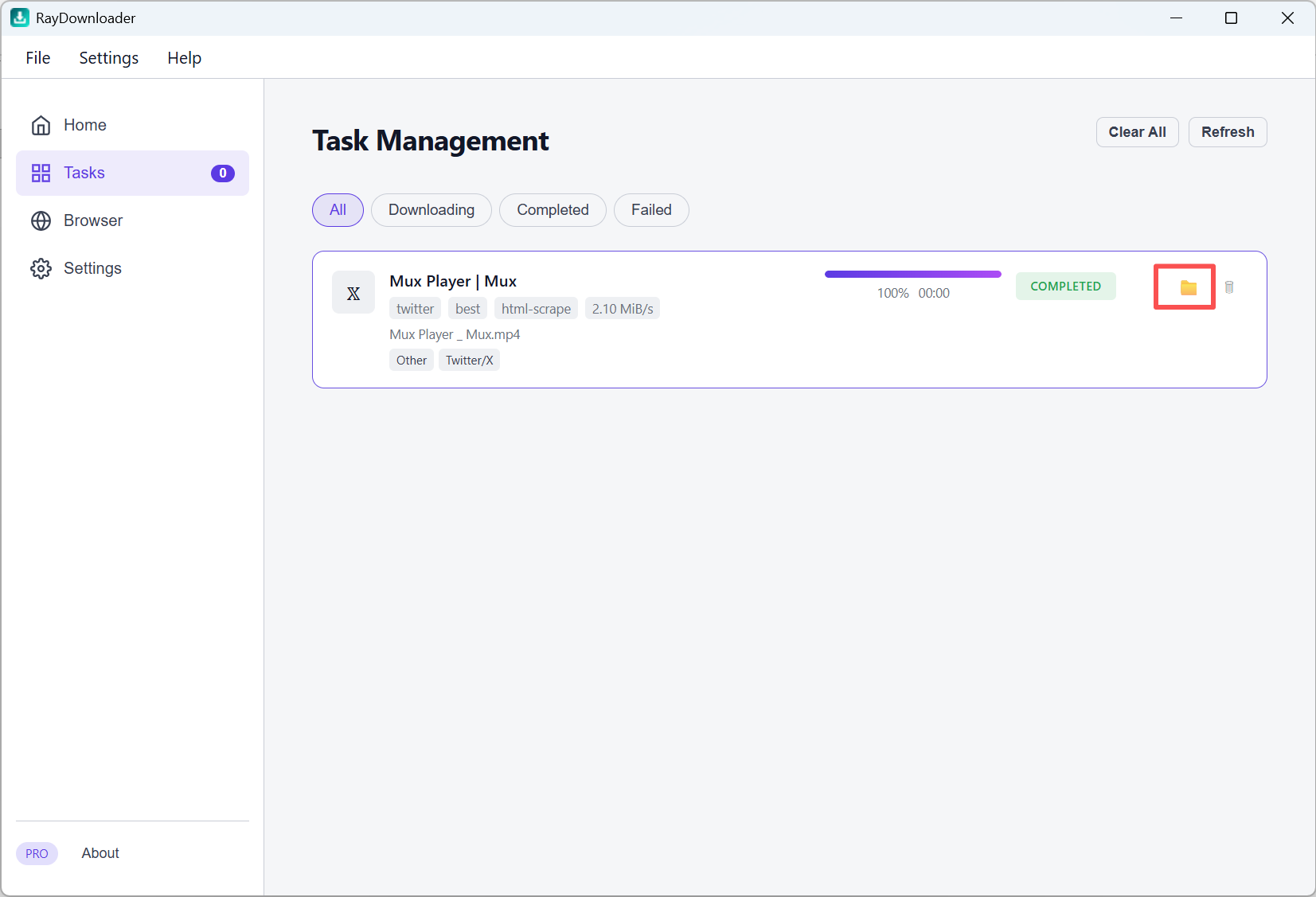
That's it 鈥?your video is saved under Settings 鈫?Download Path.