How do I download a supported video?
Paste the page URL, select Analyze, choose a listed resolution and format, then start the download. An explicit analyzed selection is not silently replaced by a lower resolution.
Read the guideSave supported online video, playlists, and subtitles on Windows.
Paste a page, playlist, or direct media URL, inspect available formats, and choose the resolution and subtitles you need. Downloads can resume after a pause, and Browser Probe can detect supported media while it plays in your signed-in browser session.
Supported websites
Analyze supported pages from services such as YouTube, TikTok, Bilibili, Facebook, X, and Instagram. Availability can vary by page permissions, regional restrictions, DRM, and website changes.
Platform pages, playlists, and direct media links
YouTube, TikTok, Instagram, X, Bilibili, AcFun, Douyin, Youku, and more — paste the page URL and analyze.
Download direct video or stream links. Choose an available video resolution or save audio as MP3.
Open the page, play the video, and capture the real media address when analyze fails or login is needed.
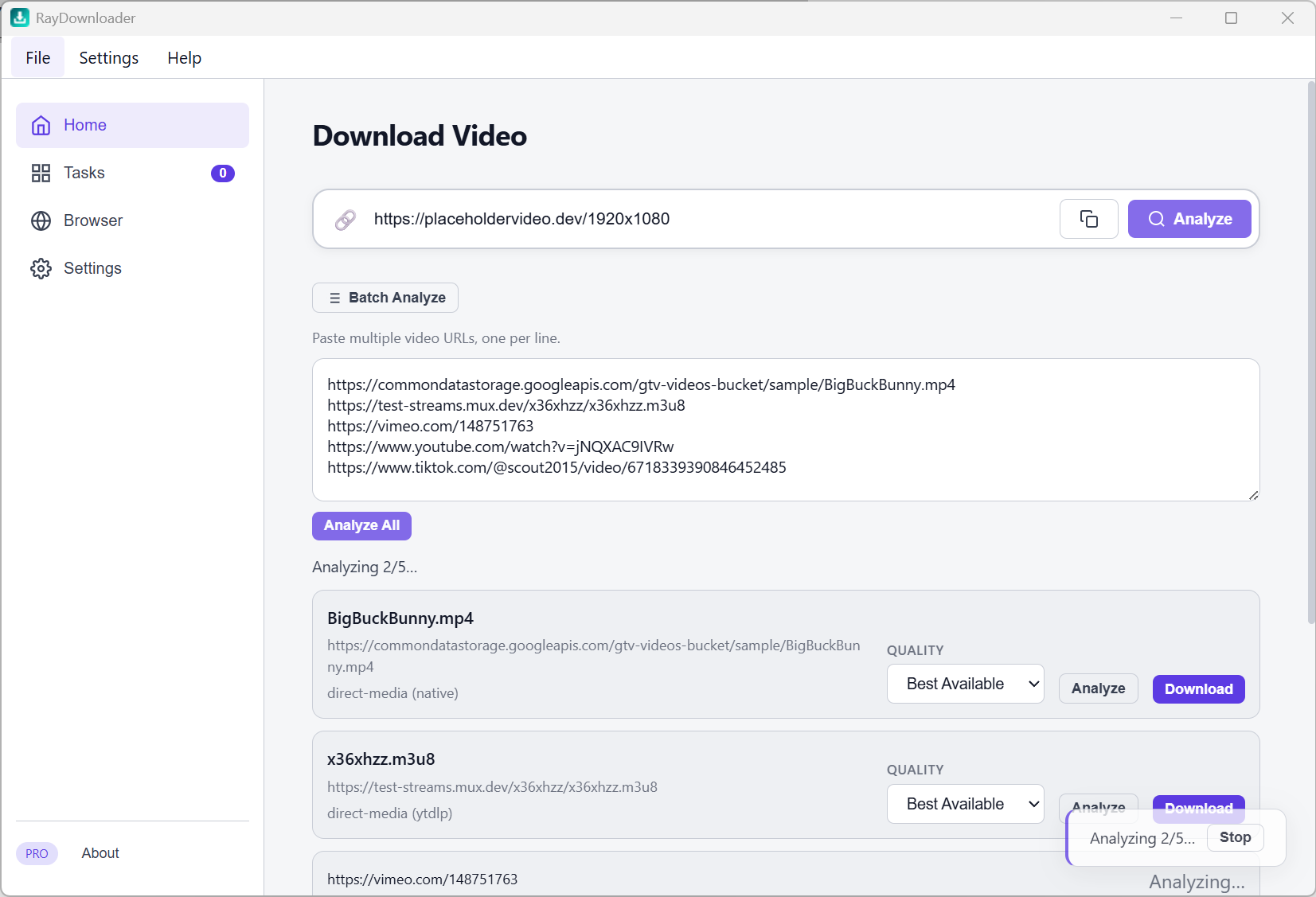
Analyze many links and choose a listed resolution, or start a quick batch that tries the highest available quality before a compatibility fallback.
Home, Tasks, Browser Probe, and Settings
Paste a URL, analyze its title and formats, then select video quality, subtitles, or audio-only output. Add many links from the batch panel.
Track progress and the actual downloaded resolution. Pause without losing partial data, resume later, retry failures, or reveal the exact completed file.
Probe a real page in a browser window, play the video, then download from the captured list.
Save path, proxy, browser cookies, concurrent downloads, subtitles, auto folders, and license activation.
Predictable quality selection, resumable tasks, subtitles, and local file control
Select a listed resolution after analysis for an exact-quality request. High-resolution sources, including 4K or 8K, remain available when the website exposes a downloadable format.
Optional subtitle download with language filter. Auto-classify files by platform or type.
Export / import settings and tasks, or push and pull cloud sync when you move machines.
Links and files stay on your computer — not through a third-party download website.
Same tools in Free — only download count is limited
| Capability | Free | Pro |
|---|---|---|
| URL analysis (single / batch) | ||
| Browser Probe | ||
| Single, batch & playlist download | ||
| Exact analyzed quality, subtitles, resumable task queue | ||
| Cloud sync of tasks & settings | ||
| Download quota | 3 videos | Unlimited |
Analyze and Browser Probe do not use Free quota — only when you add a download task. Download only what you have the right to download; follow each platform’s terms.
Common workflows
Paste the page URL, select Analyze, choose a listed resolution and format, then start the download. An explicit analyzed selection is not silently replaced by a lower resolution.
Read the guideYes. Review analyzed results and choose their quality, or use quick batch download to try the highest available format first and fall back only when that attempt cannot be downloaded.
See batch downloadsOpen Browser Probe, play the authorized media in your browser, and review the streams detected during playback. DRM-protected media is not supported.
Use Browser ProbeChoose an analyzed resolution, resume interrupted tasks, download playlists and batches, or capture supported media with Browser Probe.
Download