Ray Video Converter converts FLV, AVI, MP4, WebM, MKV, MOV, and WMV to formats such as MP4 (H.264).
Note: Video Converter handles common video formats only. It does not open SWF or Flash files 鈥?use SWF to Video for Flash content.
Step 1. Click + Add to add video files (or drag them onto the list).
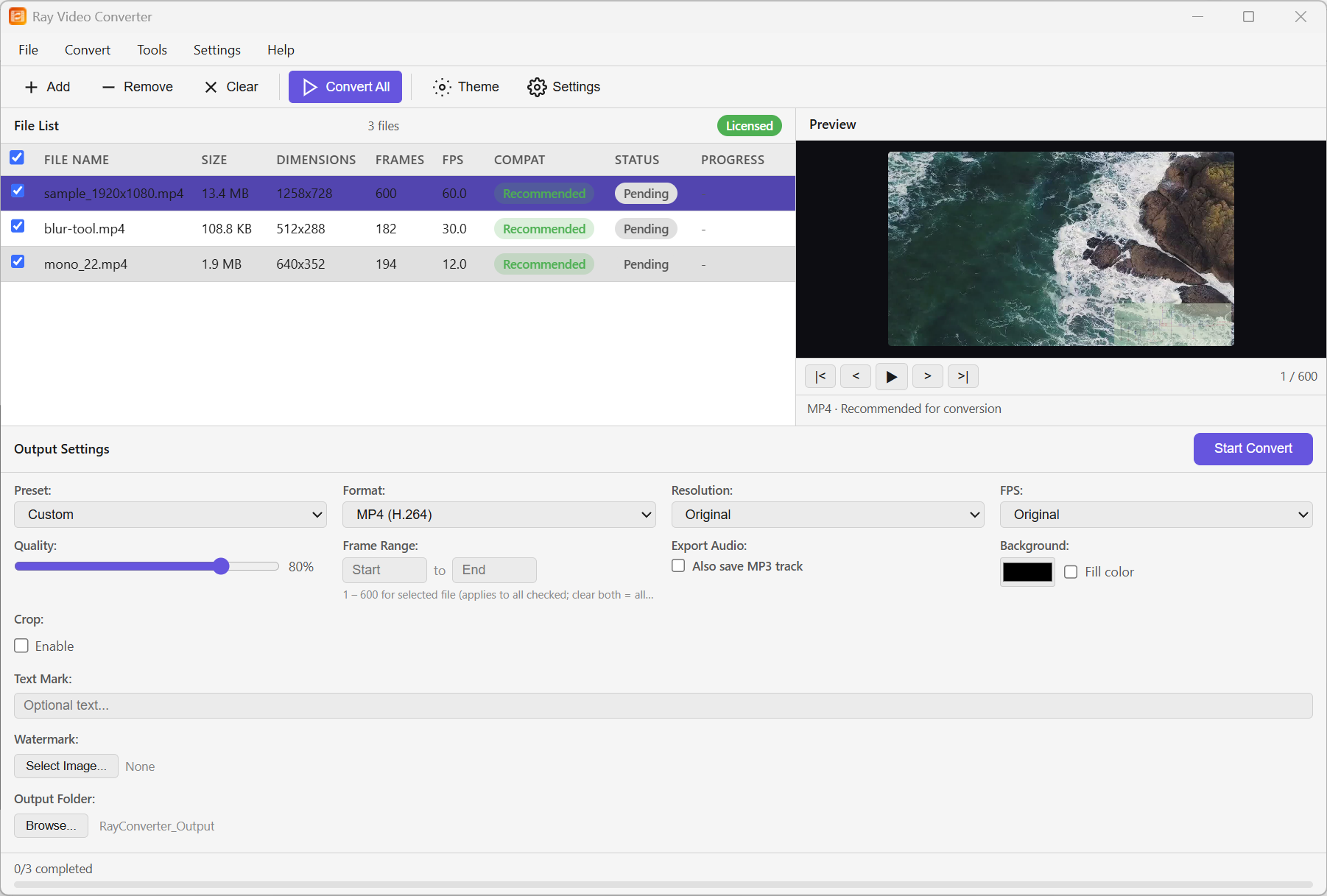
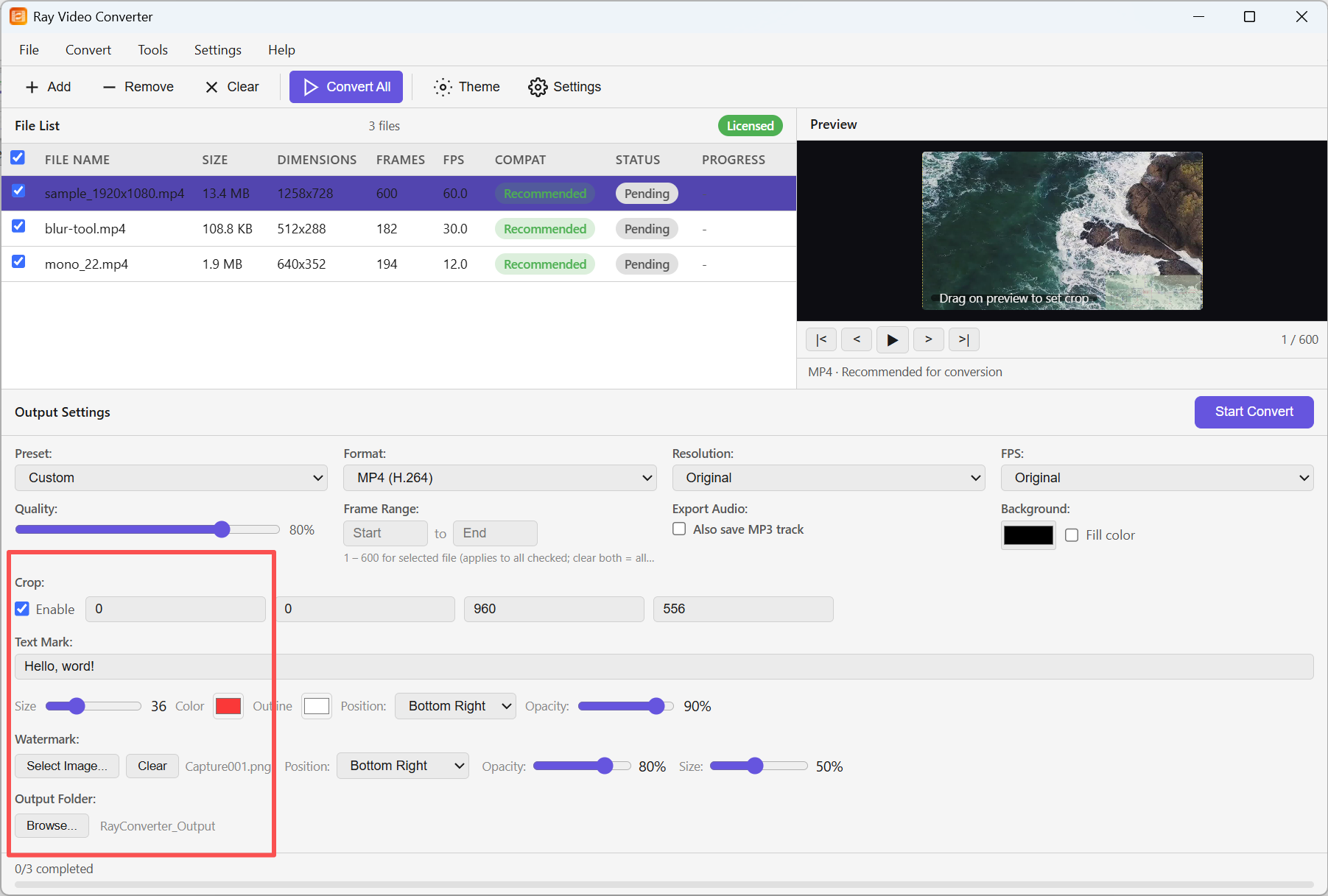
Step 2. In Output Settings, choose format, quality, and output folder. Optionally set crop, text mark, or watermark.
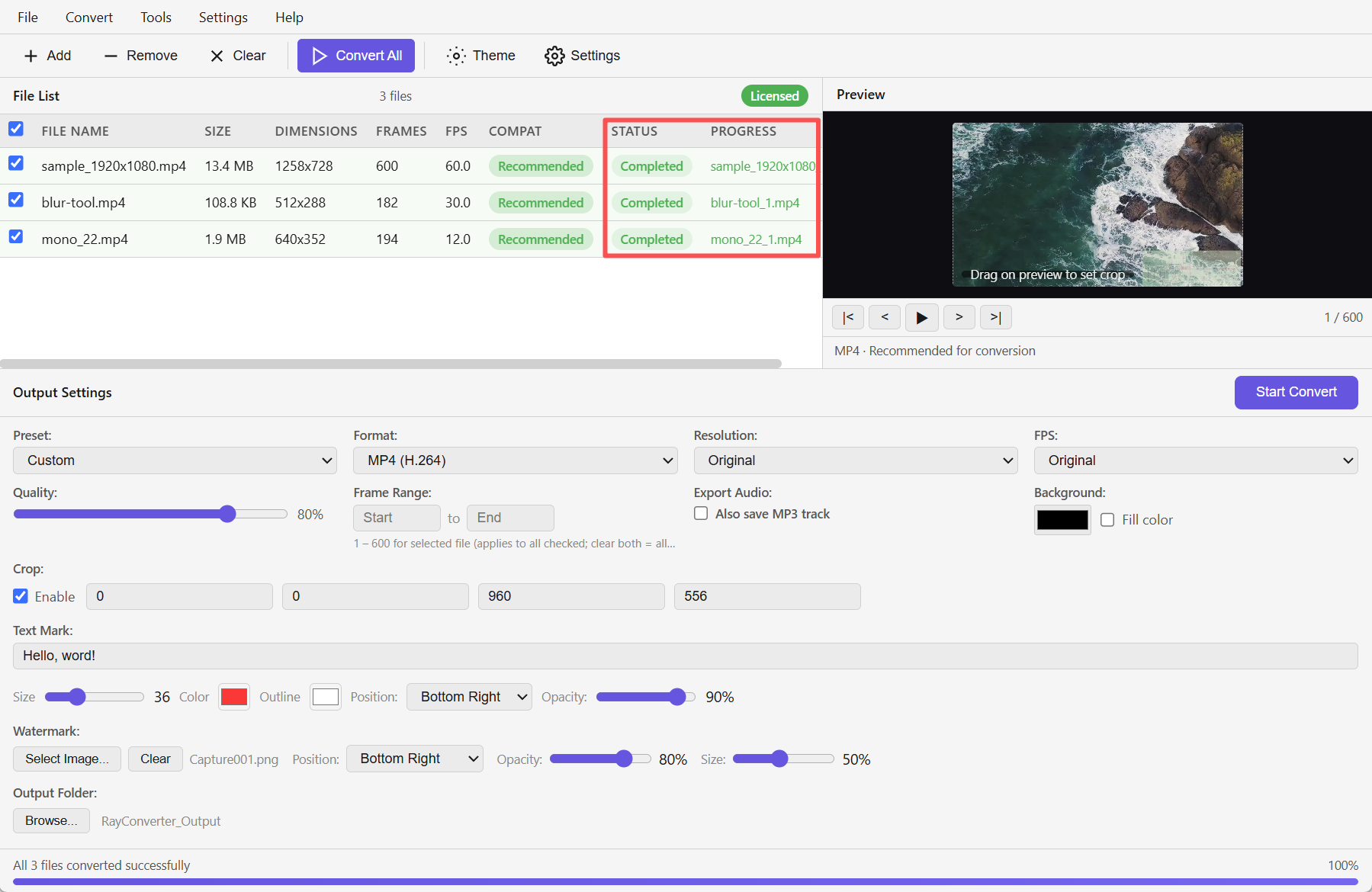
Step 3. Click Convert All. Each row shows Completed when finished.