vjMixer Pro is a live video production workspace for Windows: mix cameras, video files, images, titles, and audio, then record the program or stream it to up to four destinations. Download from rayexa.com, install and launch it, then follow the steps below.
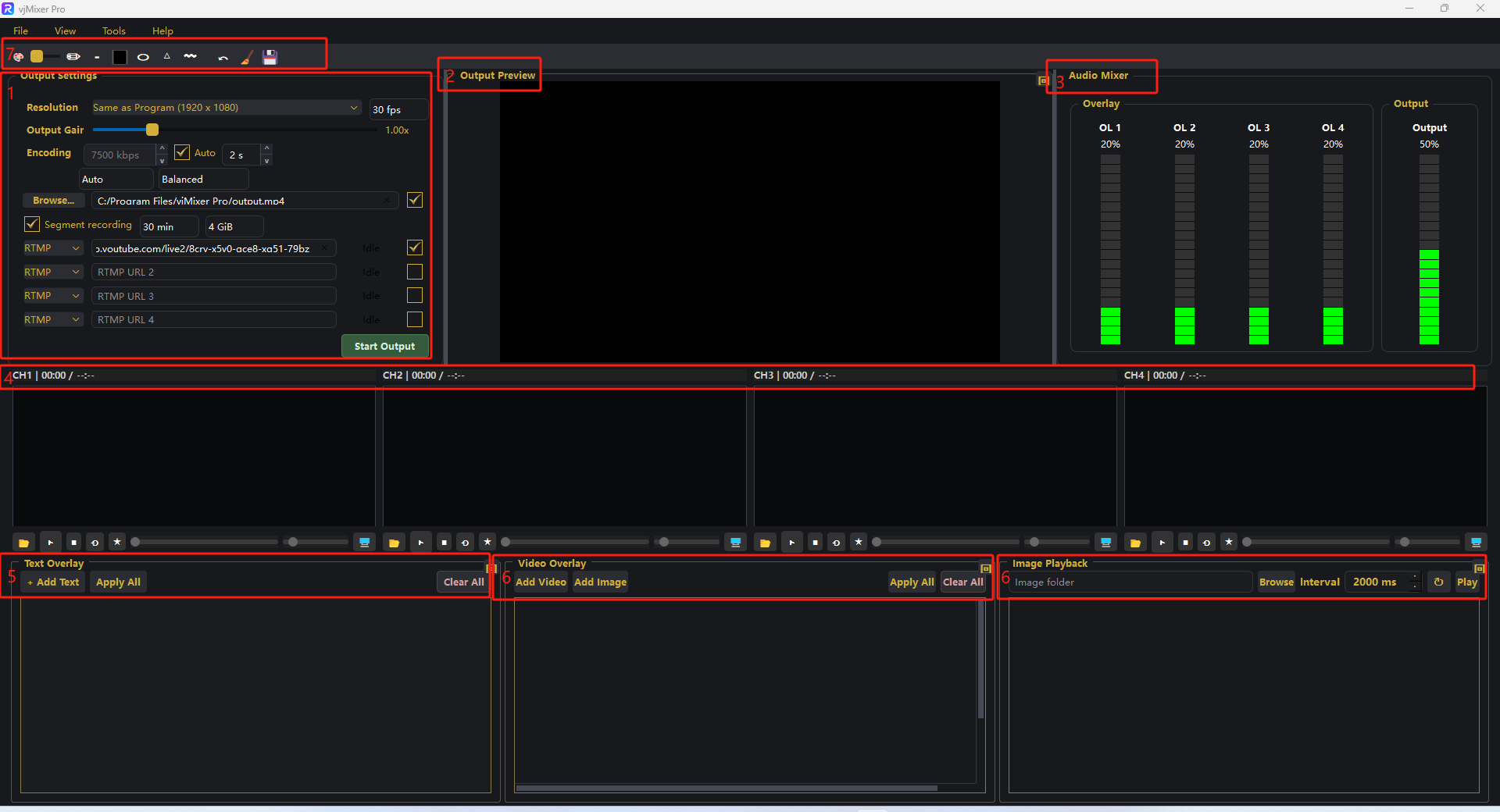
Step 1. Learn the workspace: Output Settings, Output Preview, Audio Mixer, four channel strips CH1鈥揅H4, Text/Video Overlays, Image Playback, and the paint toolbar.
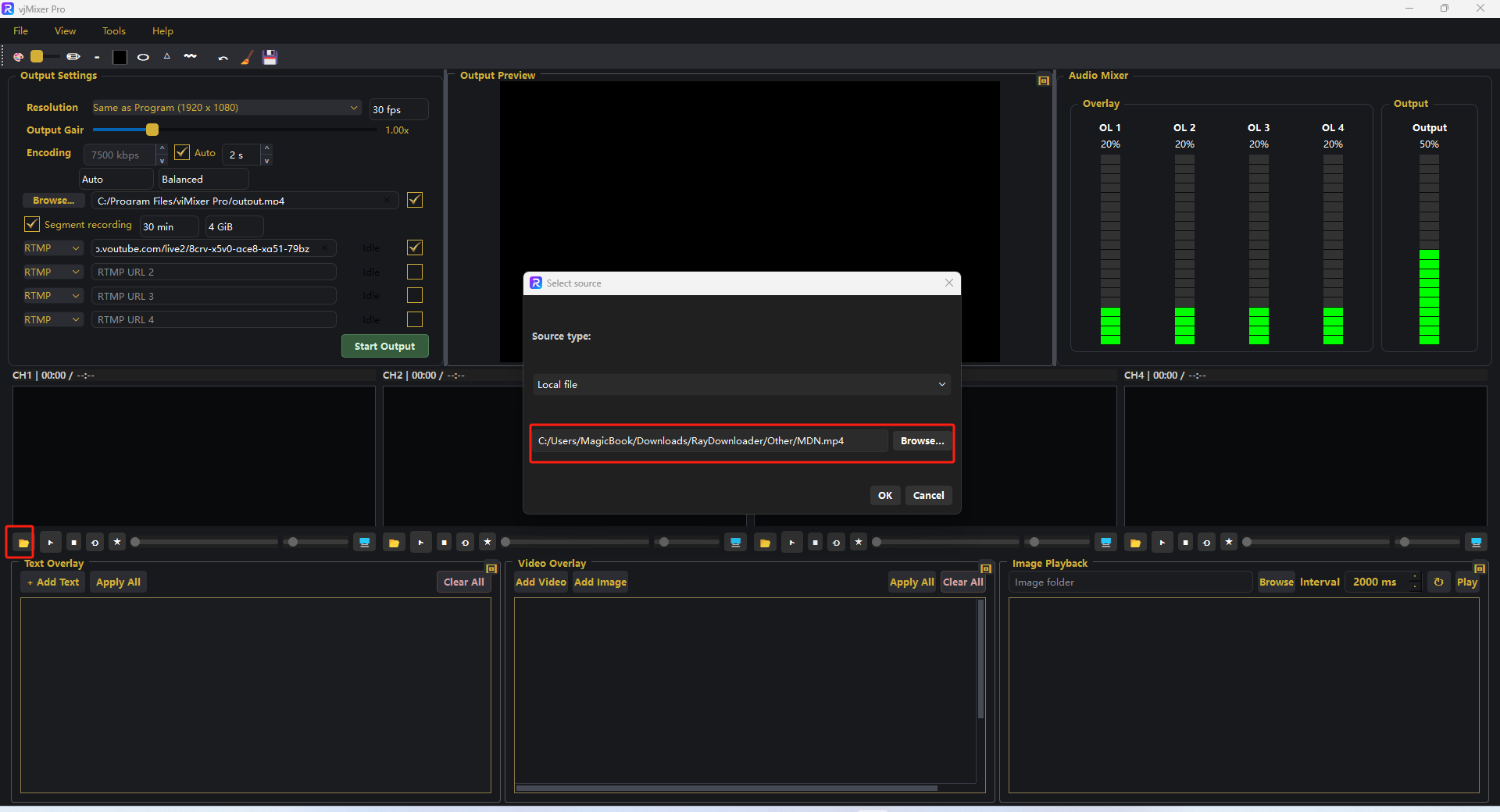
Step 2. Click the folder button on a channel strip. Choose a Source type, pick the file, then click OK.
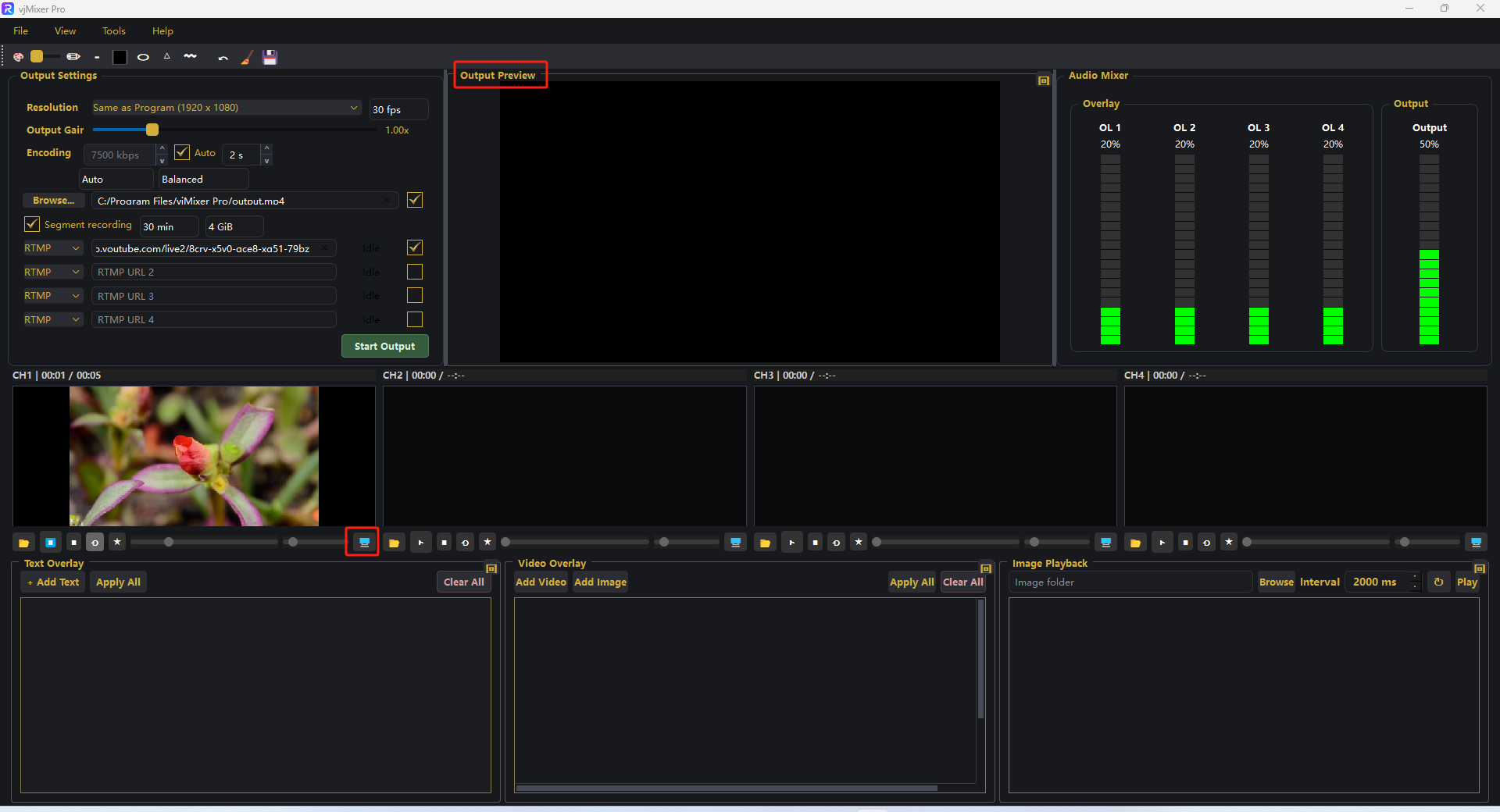
Step 3. Use the transport buttons to play and preview the channel. Click the preview (monitor) button to send it to Output Preview.
Step 4. In Output Settings, set resolution, encoding, recording path, and stream slots. Click Start Output to record or go live.
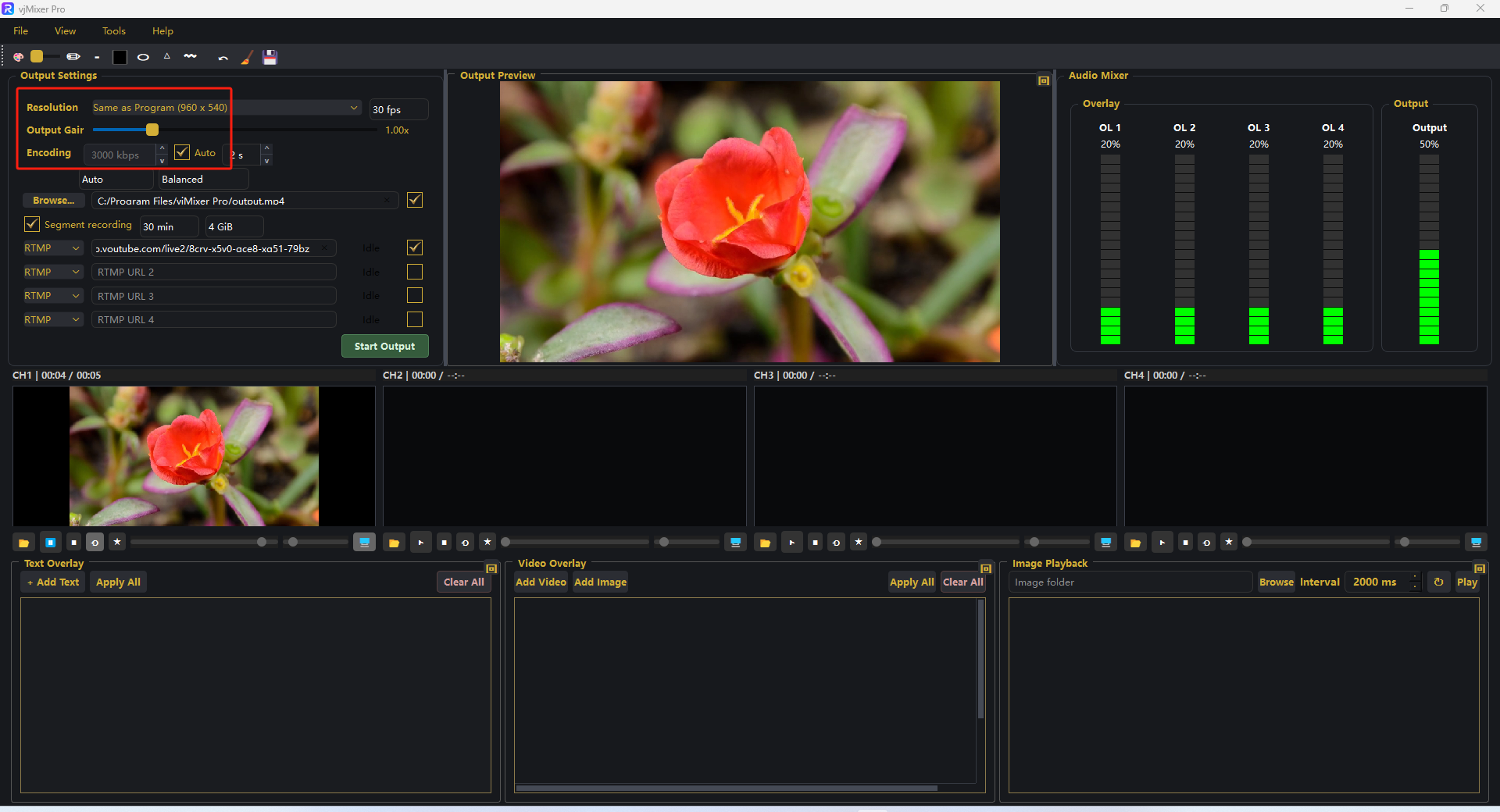
That's it 鈥?the program is recorded to your file and/or streamed to every enabled destination.