Video Converter

Convert any supported video format fast.

Turn MP4, MOV, MKV, WebM, AVI, and other media into the format your project needs. Queue complete batches, preview and crop the frame, add a watermark, and use supported GPU encoding.

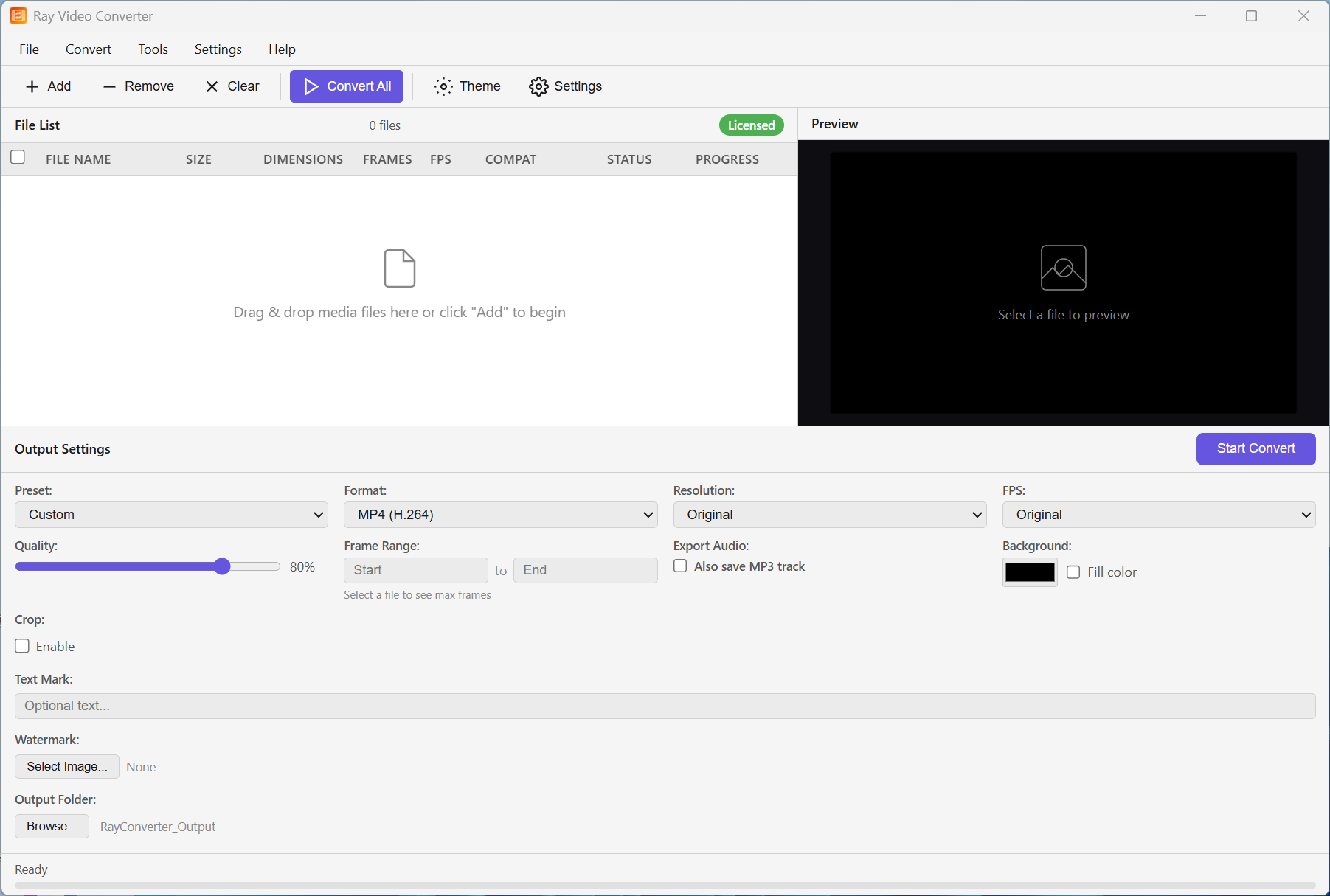
Video Converter workspace

A complete workflow from input to export

Common video, audio, GIF, and image-sequence output in one workflow

Broad input support

Convert FLV, AVI, MP4/M4V, WebM, MKV, MOV, and WMV. Add individual files or complete folders, or import a direct media URL.

Many outputs

Export to MP4, AVI (with or without alpha), MOV, FLV, WMV, MKV, WebM, MPEG, 3GP, GIF, PNG/BMP/JPG/TIFF sequences, or MP3/WAV.

16:9 preview & crop

Scrub frames on a stable 16:9 preview in windowed or maximized mode. Drag to crop — or enter exact values — before you export.

Presets & watermarks

Device presets for phones, PSP, 3GP, and DVD. Image and text watermarks, background fill, optional audio sidecar, and batch pause/cancel.

More control over every export

Sequences stay tidy · clean exports after license · light on Windows

Neat image sequences

Frame sequences write into a dedicated subfolder per file, so your output folder stays organized for editors.

WebM & modern formats

Export WebM (VP9) alongside MP4 and classic formats — ready for the web and everyday players that support it.

Trial vs license

Trial builds may add a small Rayexa mark. Activate a license for clean, unrestricted exports.

Language & theme

English or Chinese UI. Switch light and dark themes to match your desktop.

Prepare files for publishing, teaching, business, and archives.

Content creatorsPrepare uploads, clips, GIFs, and audio extracts.
TeachersConvert lessons and recordings into widely playable formats.
BusinessesStandardize batches for presentations and internal libraries.
ArchivistsMove older media into practical modern containers.

Supported Formats

Input

  • FLV, AVI, MP4 / M4V
  • WebM, MKV, MOV, WMV

Output

  • MP4, AVI, MOV, FLV, WMV
  • MKV, WebM, MPEG, 3GP, GIF
  • PNG / BMP / JPG / TIFF sequences
  • MP3 / WAV (audio only)

System Requirements

  • OS: Windows 10 / 11 (64-bit)
  • Runtime: Microsoft Edge WebView2
  • Disk Space: ~100 MB (excluding output files)