MKV files often hold high-quality video from downloads or captures, but many Windows apps and phones prefer MP4. With Ray Video Converter you can convert MKV to MP4 (H.264) so the same clip plays in browsers, media players, and editing tools.
An MKV or MP4 file is a container. The picture and sound inside use a codec such as H.264 or AAC. Choosing MP4 (H.264) remuxes or re-encodes into a widely compatible MP4 package without needing a separate codec pack for everyday playback.
Note: Ray Video Converter works with common video formats only. It does not open SWF or Flash files — use SWF to Video for Flash content.
Steps
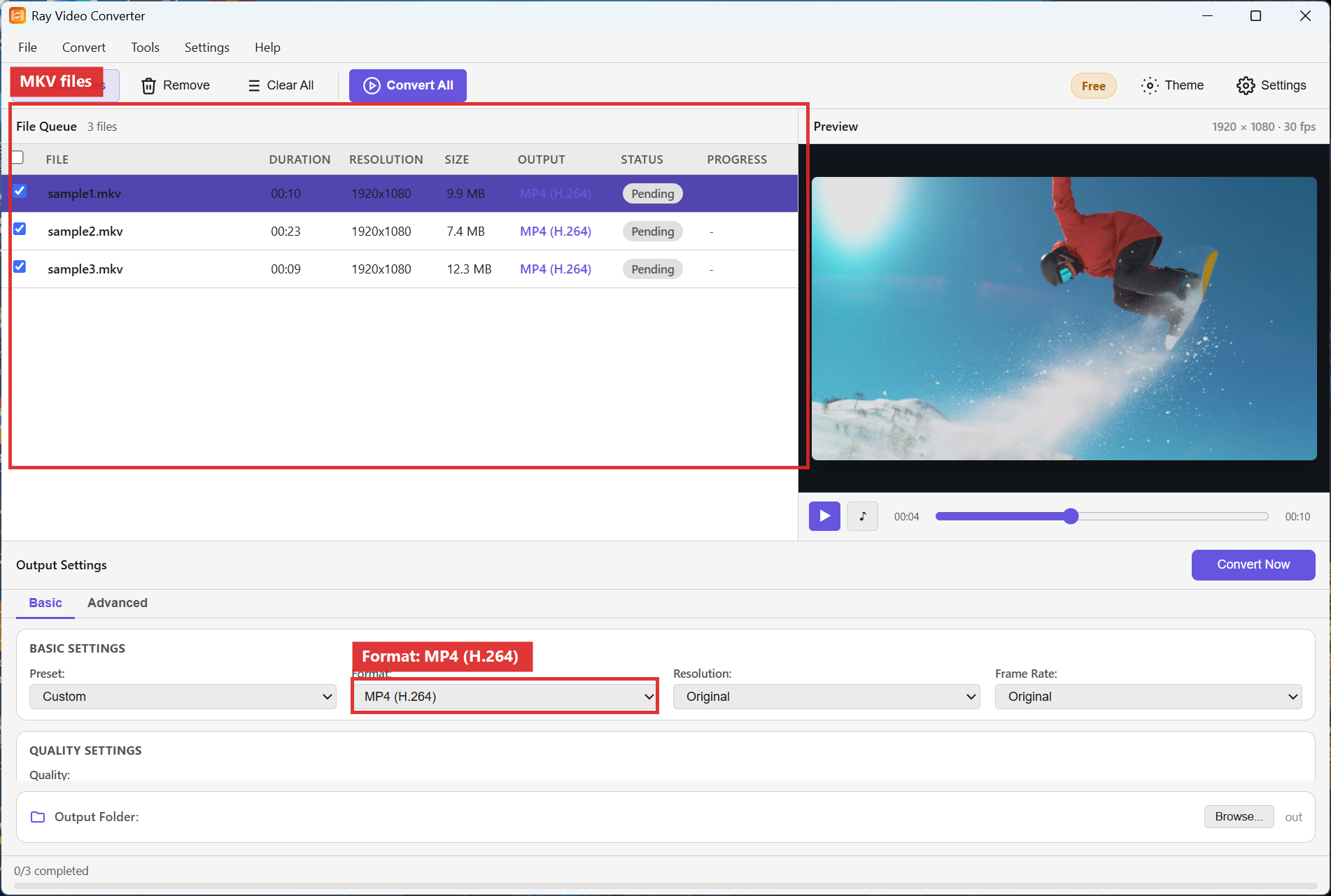
Step 1. Open Ray Video Converter. Click + Add Files (or drag clips into the File Queue).

Step 2. Confirm your MKV files appear in the queue. In Output Settings, set Format to MP4 (H.264). Leave Resolution on Original unless you need a smaller frame size.
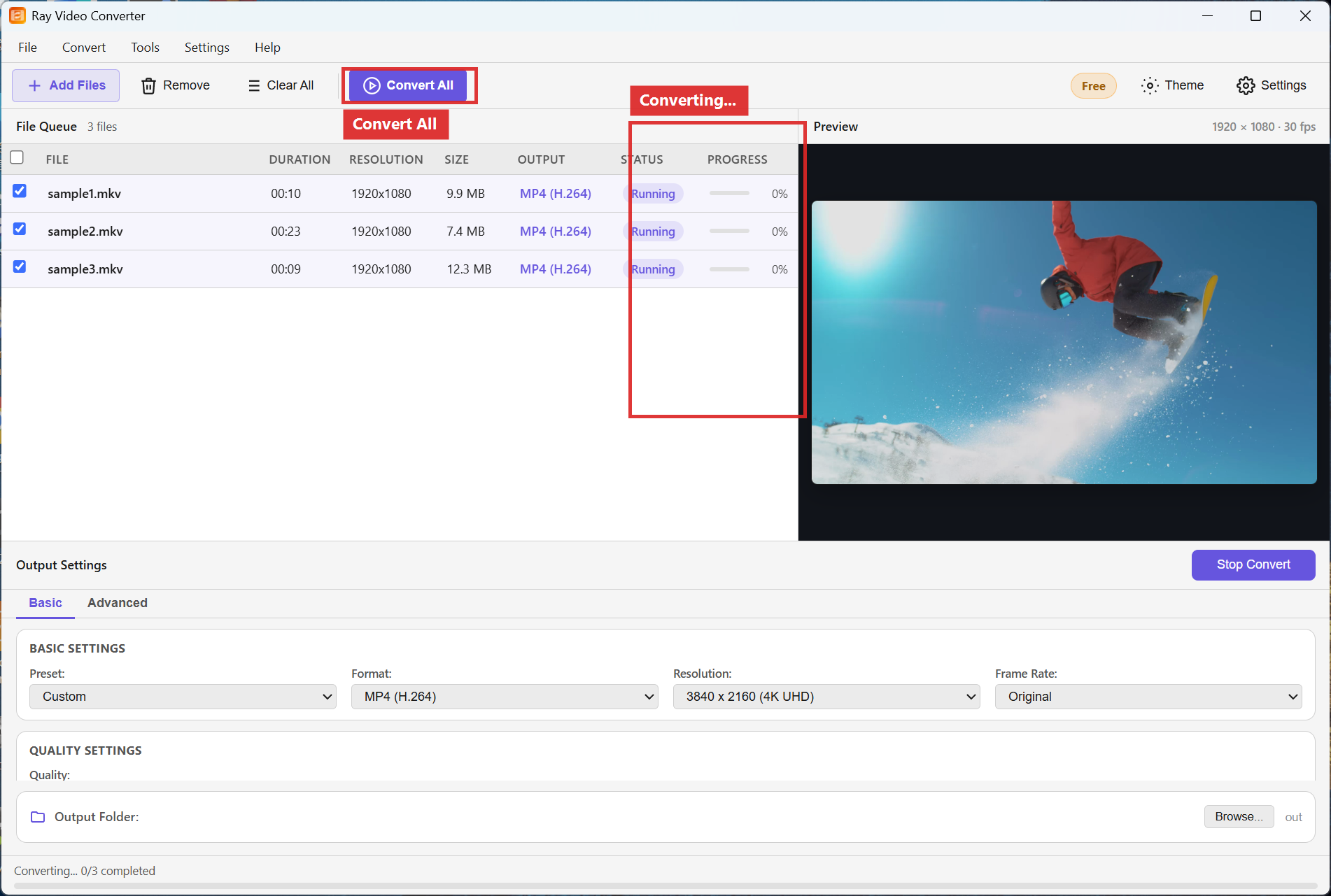
Step 3. Choose an Output Folder, then click Convert All (or Convert Now for a single row). Progress appears while conversion runs.
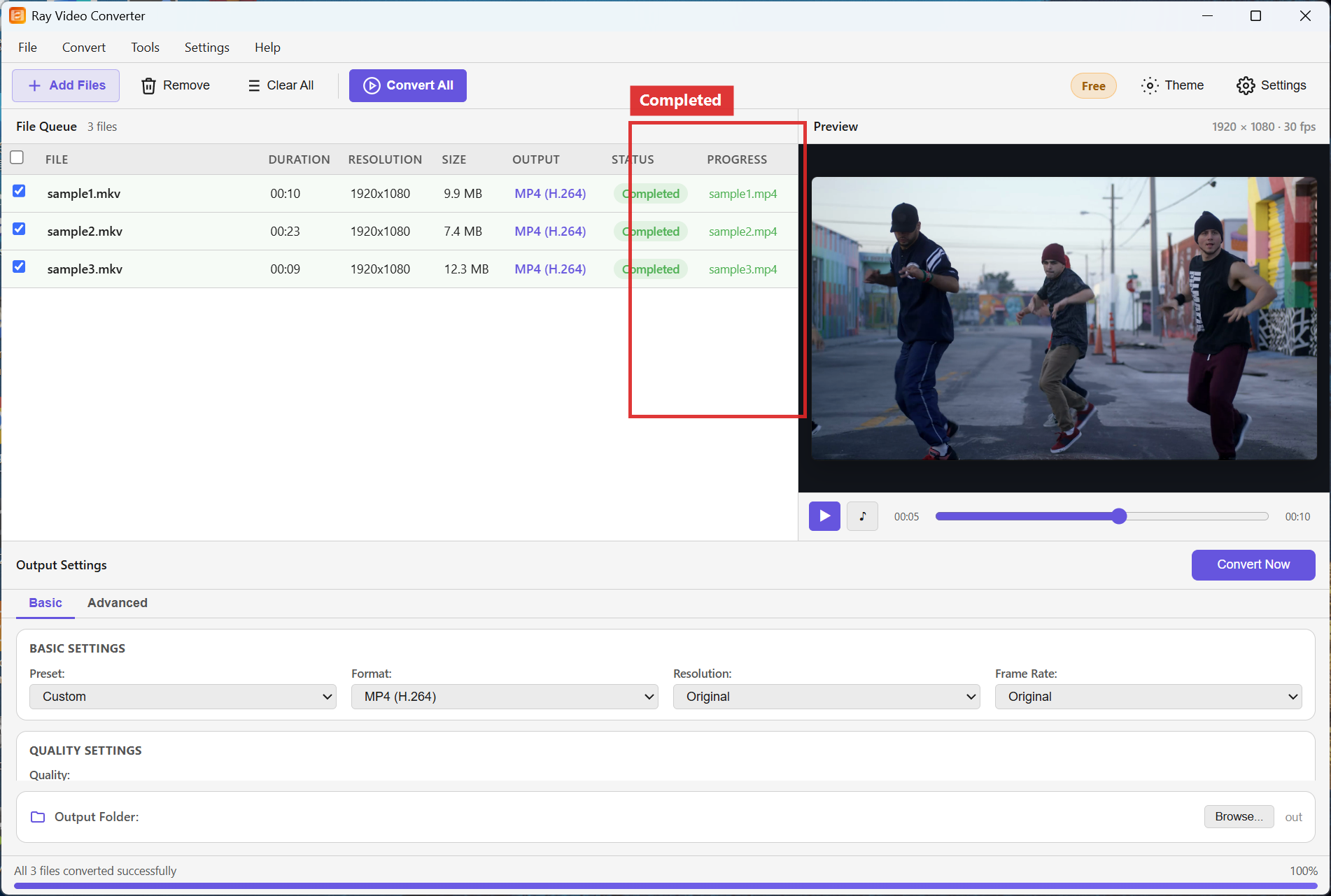
Step 4. When each row shows Completed, open the output folder to find your MP4 files.
Recommended settings
- Format: MP4 (H.264) for phones, browsers, and most editors.
- Resolution: Original when you want the same frame size; pick 1920x1080 or 1280x720 to shrink large files.
- Quality: Keep the slider near the middle for a balance of size and clarity; raise it for archival masters.
FAQ
Will my MKV play after conversion?
MP4 (H.264) with AAC audio plays in Movies & TV, VLC, browsers, and most phones. If a player still fails, try VLC or update the player codecs.
Do I lose quality when I convert MKV to MP4?
Re-encoding always involves some change. Use a higher Quality setting and Original resolution when you need to keep detail.
Can I convert several MKV files at once?
Yes. Add every file to the File Queue, set Format once, then click Convert All. See also
batch convert videos.
Try Ray Video Converter
Download the free Windows trial, then follow the steps above on your own files.
Free download Product page All tutorials