Need to review many links before downloading? RayDownloader’s Batch Analyze lets you paste a list of URLs, analyze them together, then download the ones you want.
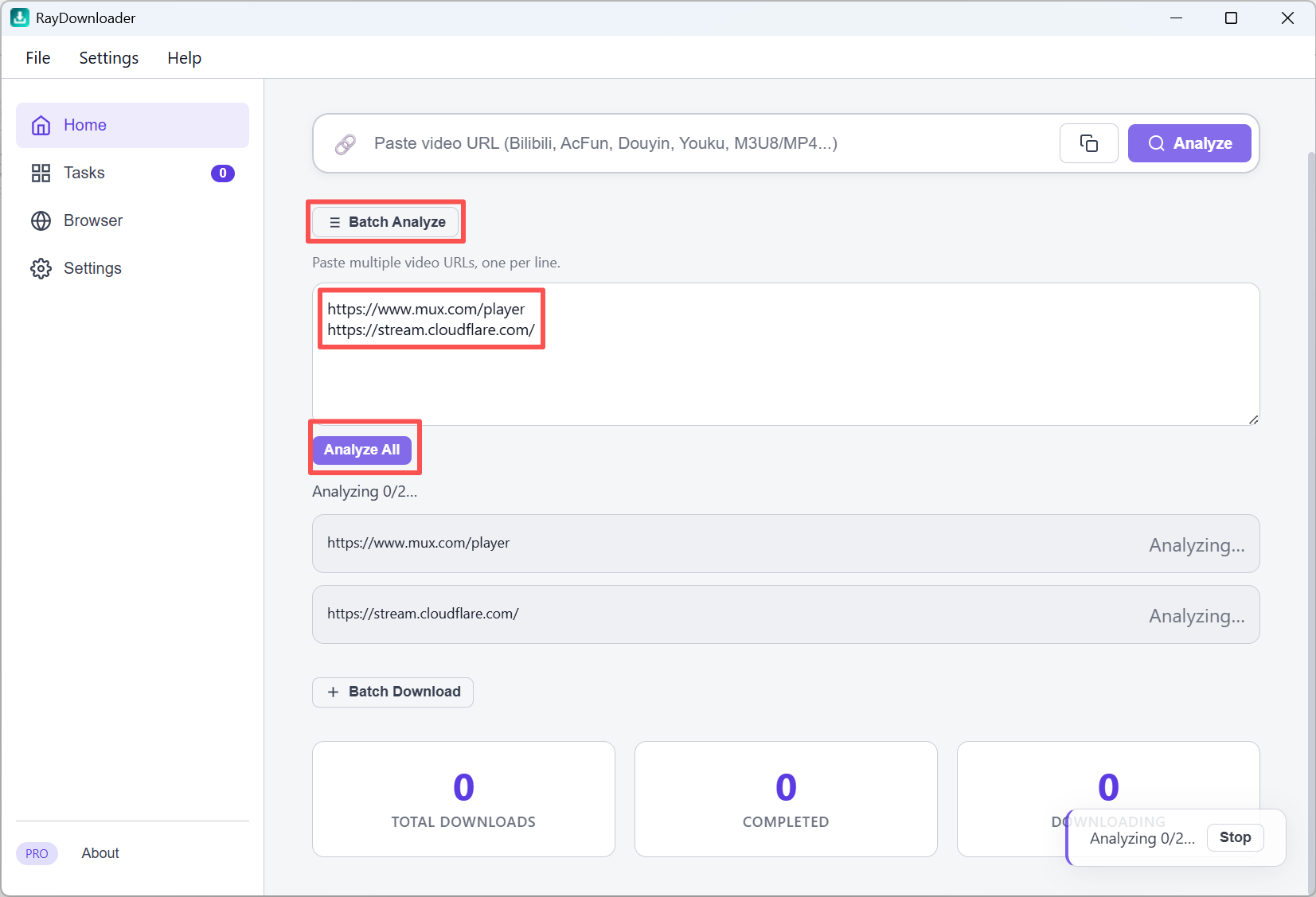
Step 1: On the Home page, click Batch Analyze to expand the panel. Paste multiple video URLs into the text area, one URL per line, then click Analyze All. Wait until every link finishes analyzing.
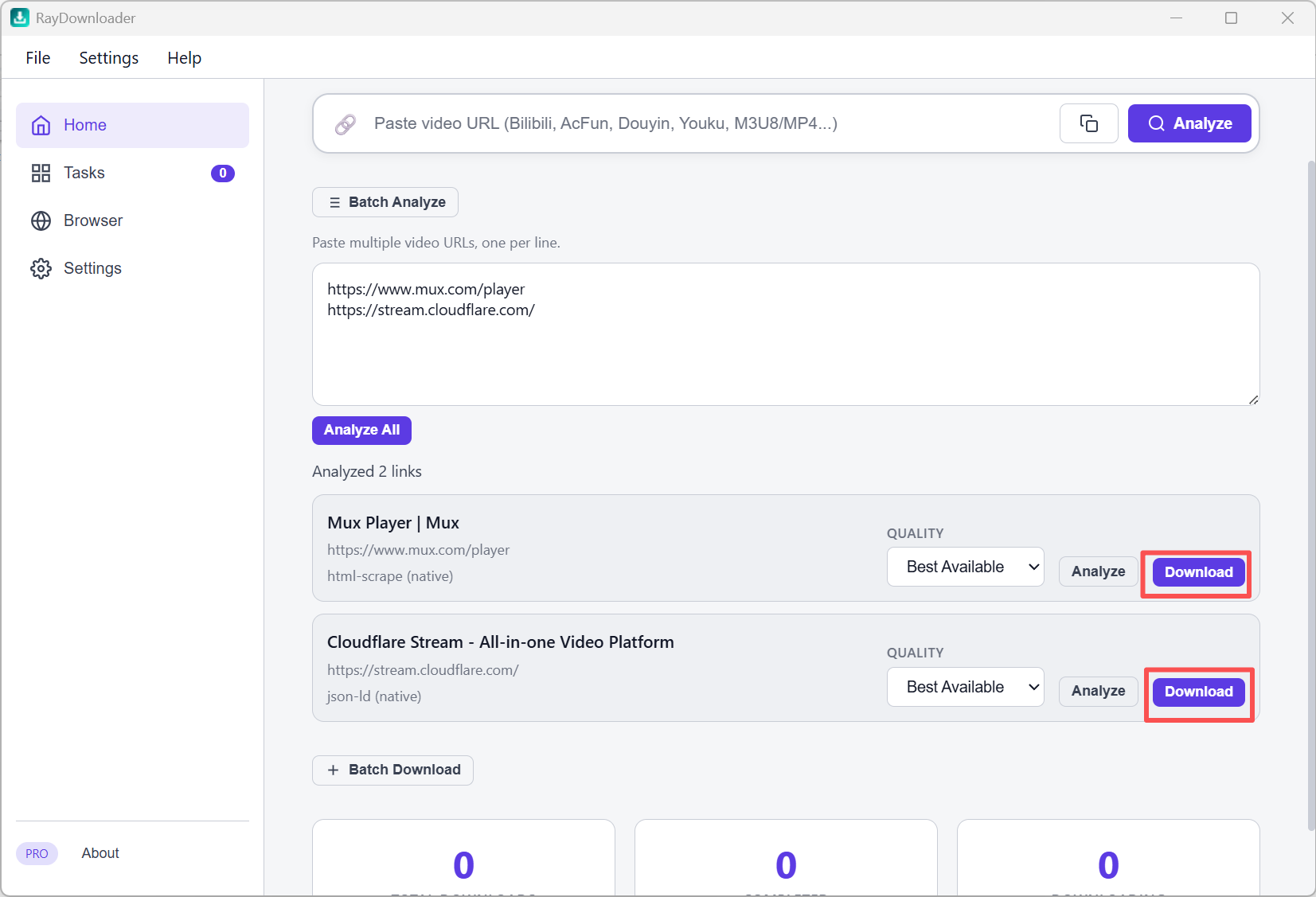
Step 2: When result cards appear, choose the listed Quality you need, then click Download on each video you want to save. Each analyzed selection is treated as exact and is not silently downgraded.
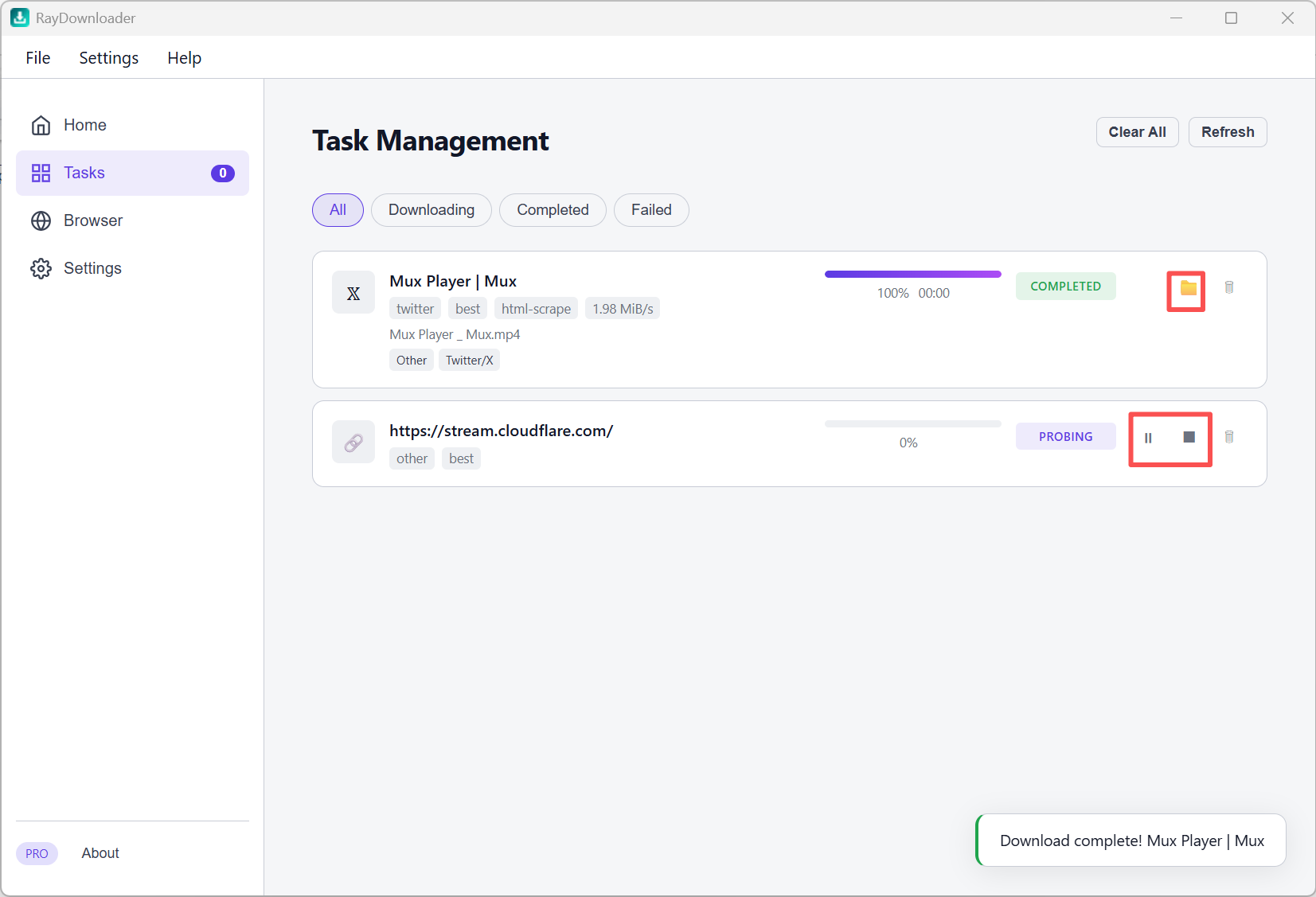
Step 3: Open Tasks in the left sidebar to watch progress. The task row shows the actual downloaded resolution. When a task shows Completed, click the folder button to reveal the exact file in Explorer. You can also pause and later resume a supported in-progress task without discarding its current progress.
That is all — downloaded files are saved under the path set in Settings → Download Path.