Want to queue many downloads quickly? Use Batch Download on the Home page, paste your links, and let each task try the highest available quality first.
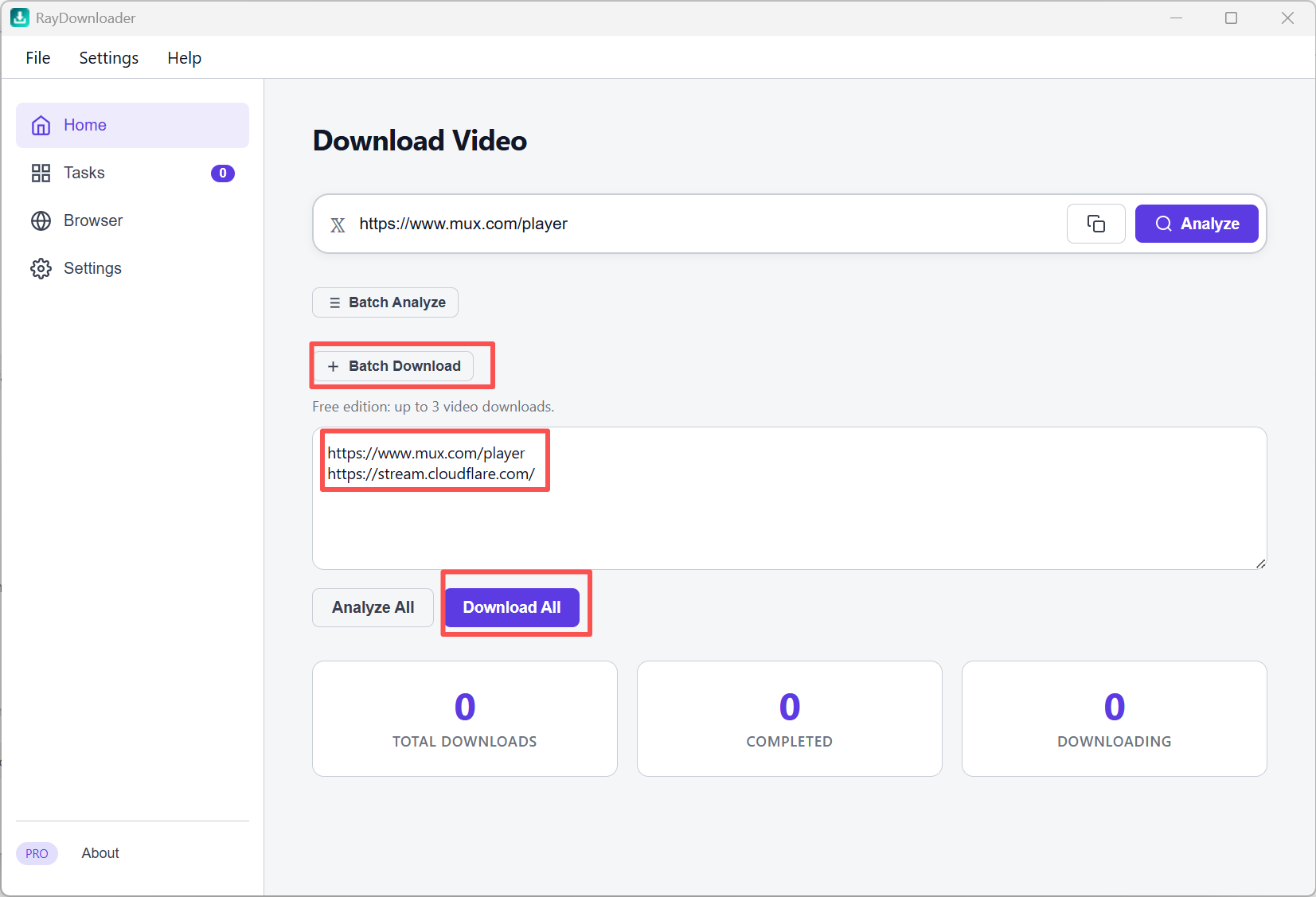
Step 1: On the Home page, click + Batch Download to expand the panel. Paste multiple video URLs into the text area, one URL per line, then click Download All.
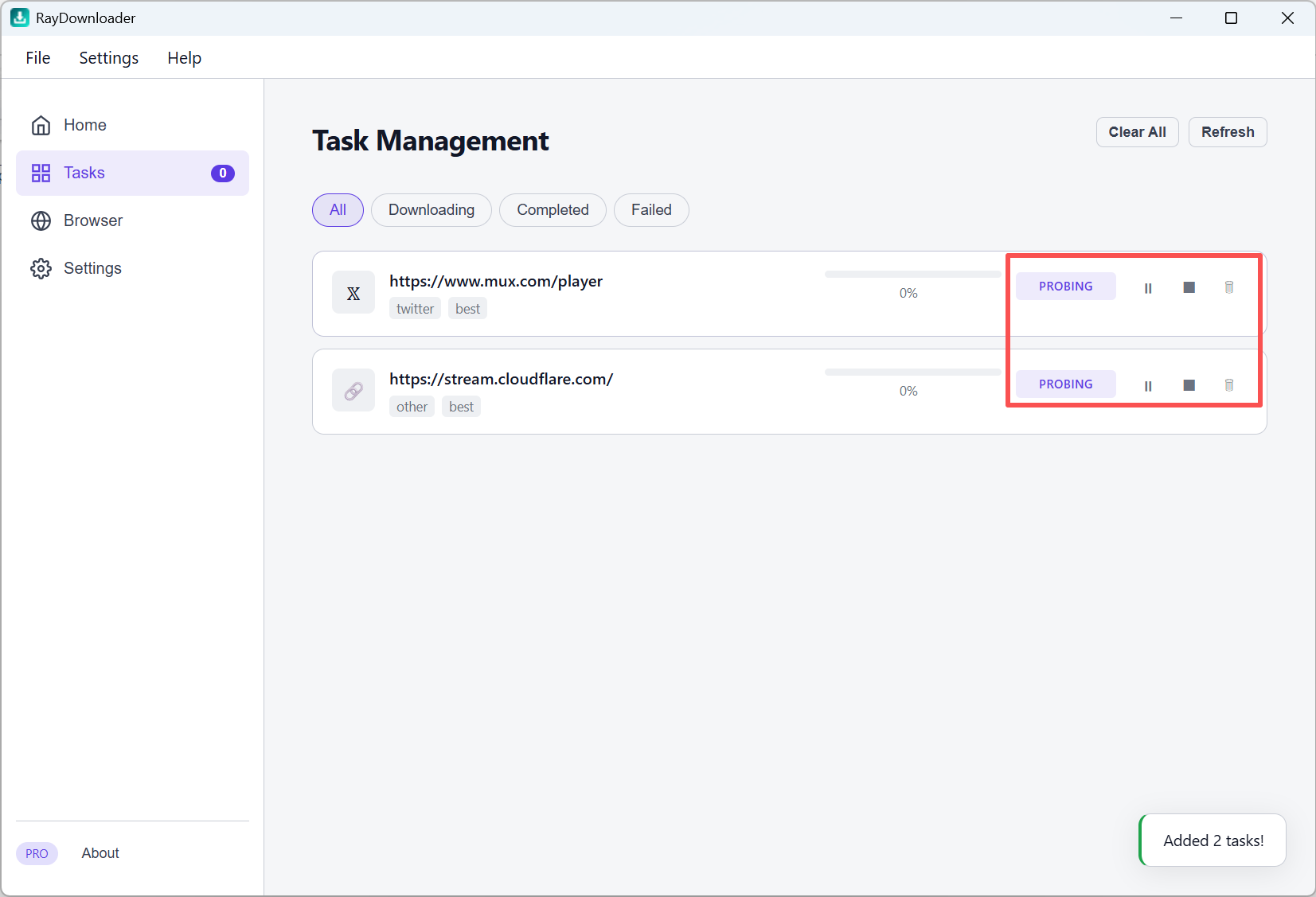
Step 2: Open Tasks in the left sidebar. New jobs appear in the list (status may show PROBING or Downloading). Quick batch tasks use Best Available and only fall back after the higher-quality attempt cannot be downloaded. You can pause a supported task and resume it later from its current progress, or stop it from the controls on each row.
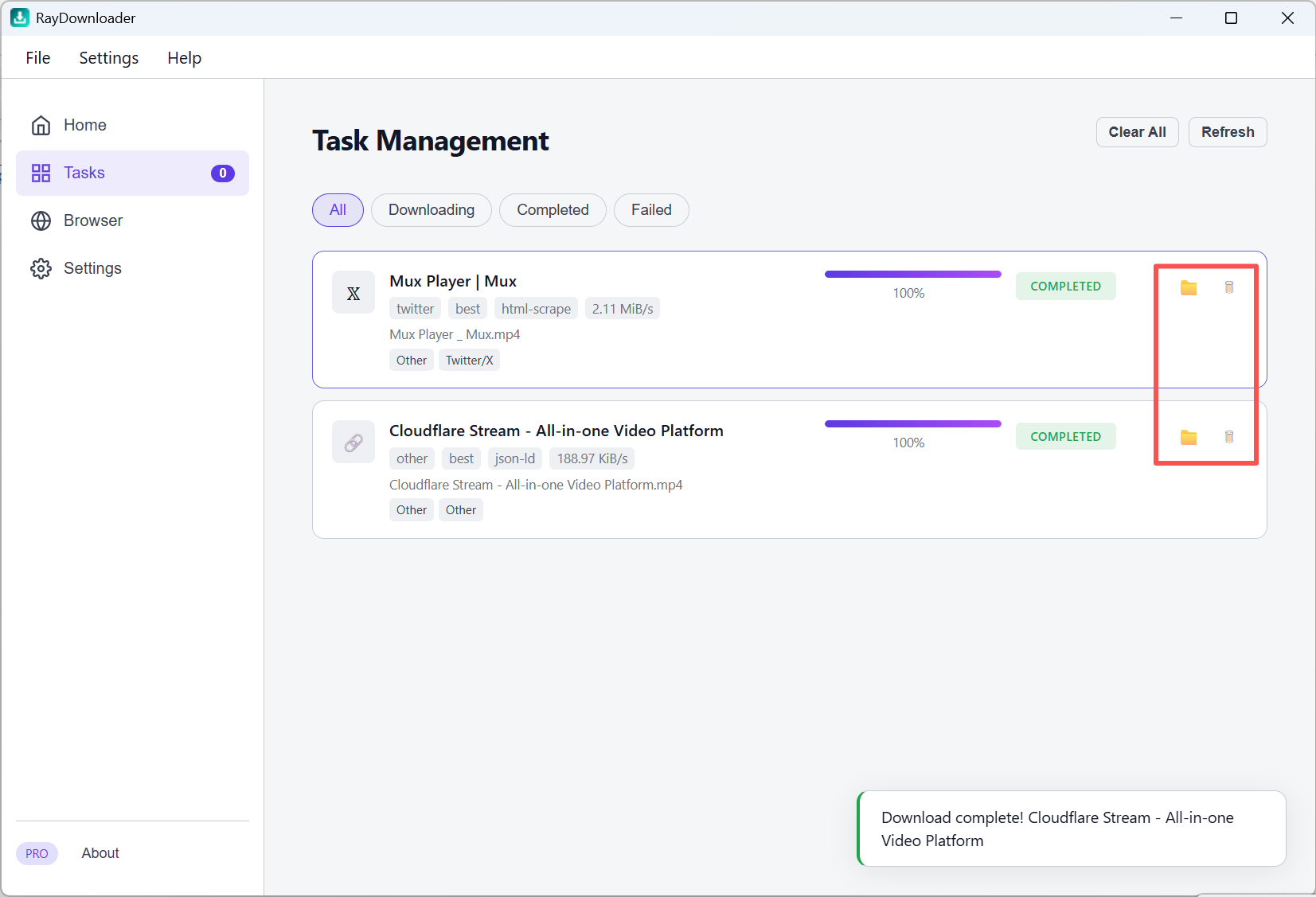
Step 3: The task row shows the actual downloaded resolution. When it shows Completed, click the folder button to open Explorer with the exact saved file selected.
That is all — files are saved under the path set in Settings → Download Path.