When a normal Analyze fails, use Browser Probe. Open the page inside RayDownloader, play the video, capture the stream URL, then download it.
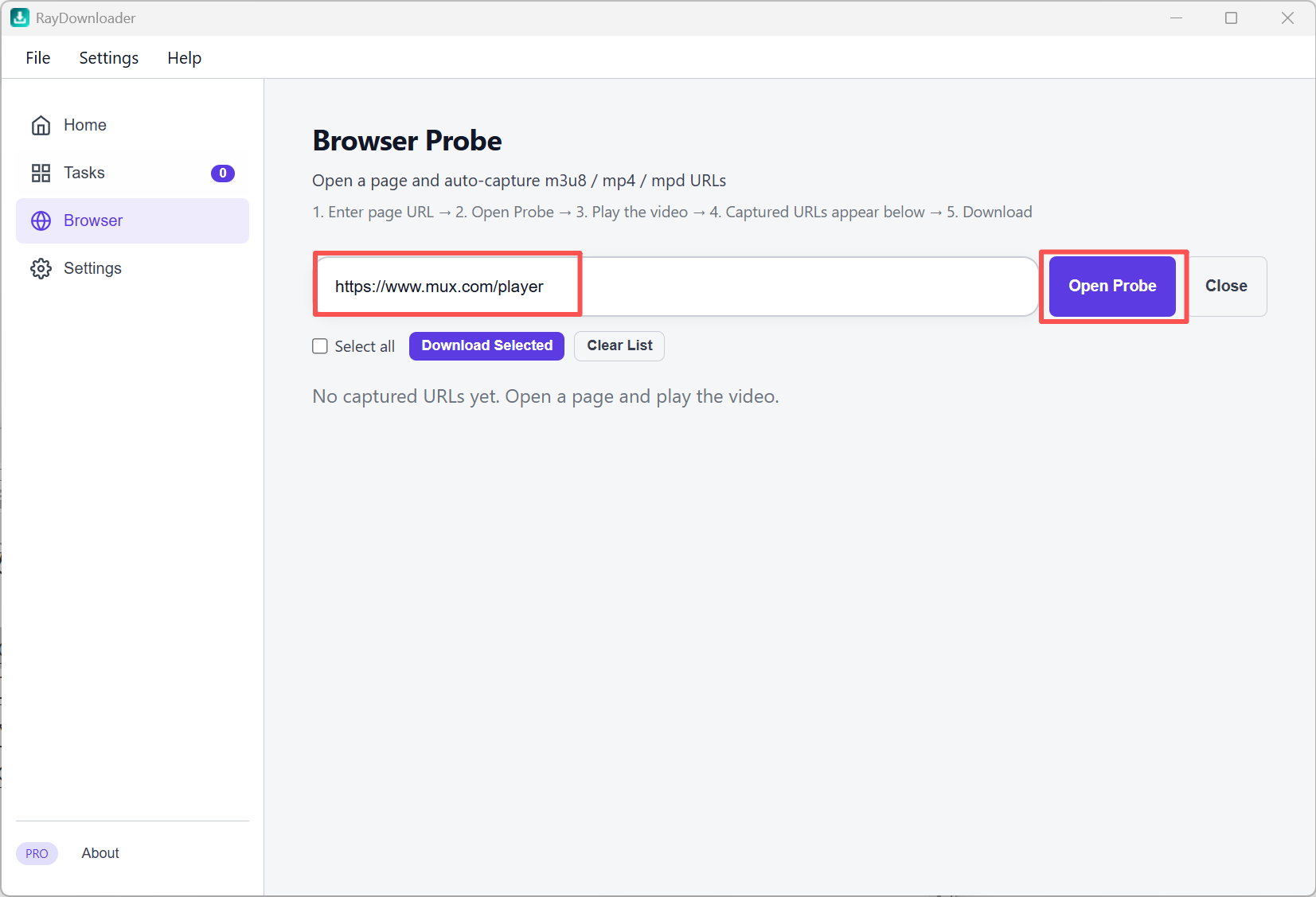
Step 1: Click Browser in the left sidebar. Paste the video page URL into the address field, then click Open Probe.
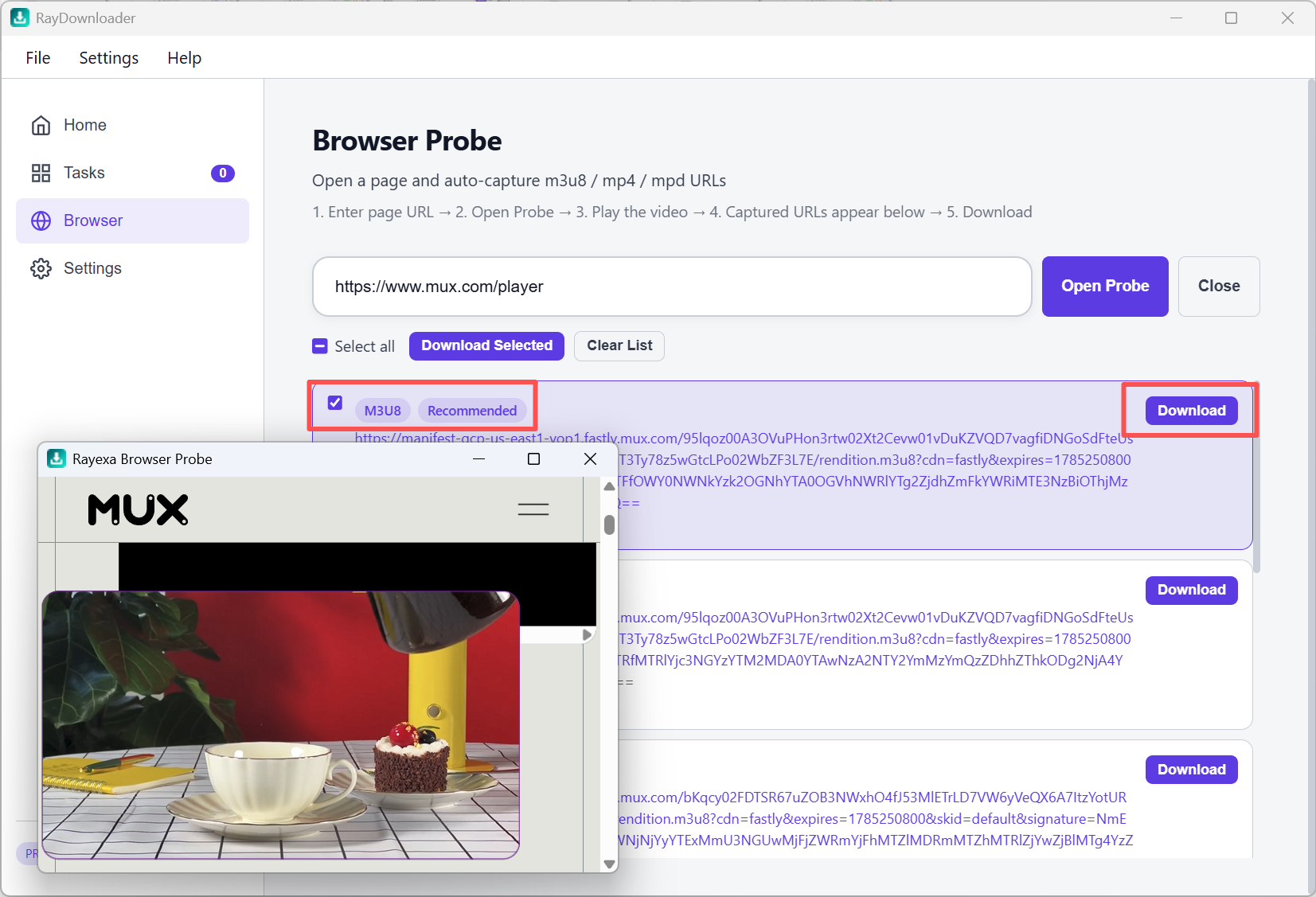
Step 2: In the probe window, play the video so streams are requested.
Captured m3u8 / mp4 / mpd URLs appear in the list below.
Select the stream you want (prefer the one marked Recommended if shown),
then click Download on that row, or use Download Selected. Probe downloads follow the captured stream; the exact analyzed-quality rule applies only to results created by Analyze.
Step 3: Open Tasks to watch progress and the actual downloaded resolution. Supported partial downloads can be paused and resumed. When the status shows Completed, click the folder button to reveal the exact saved file in Explorer.
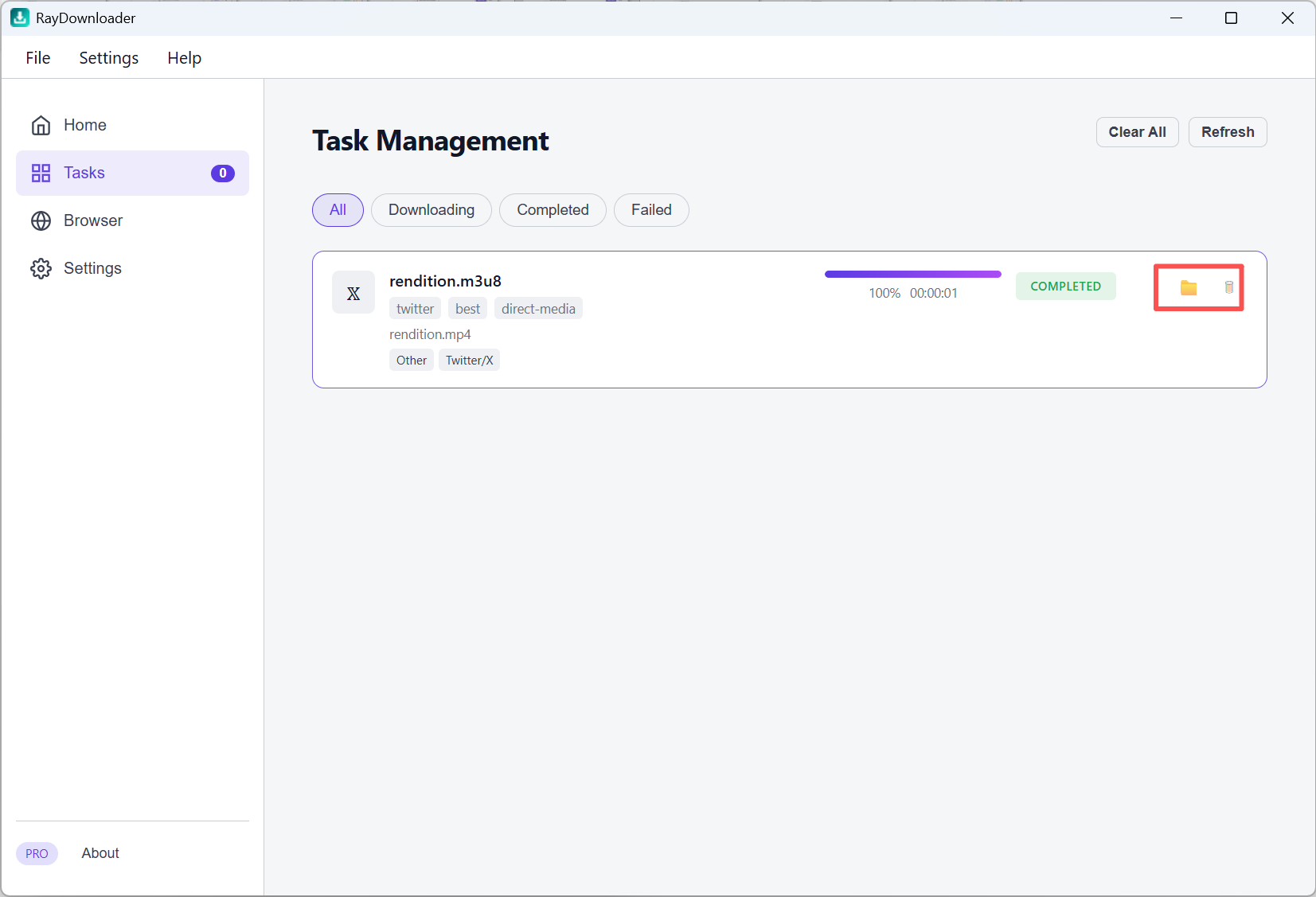
That is all — the file is saved under the path set in Settings → Download Path.