Want to save an online video to your PC? With RayDownloader you can do it in a few clicks. Download the app from rayexa.com, install and launch it, then follow the steps below.
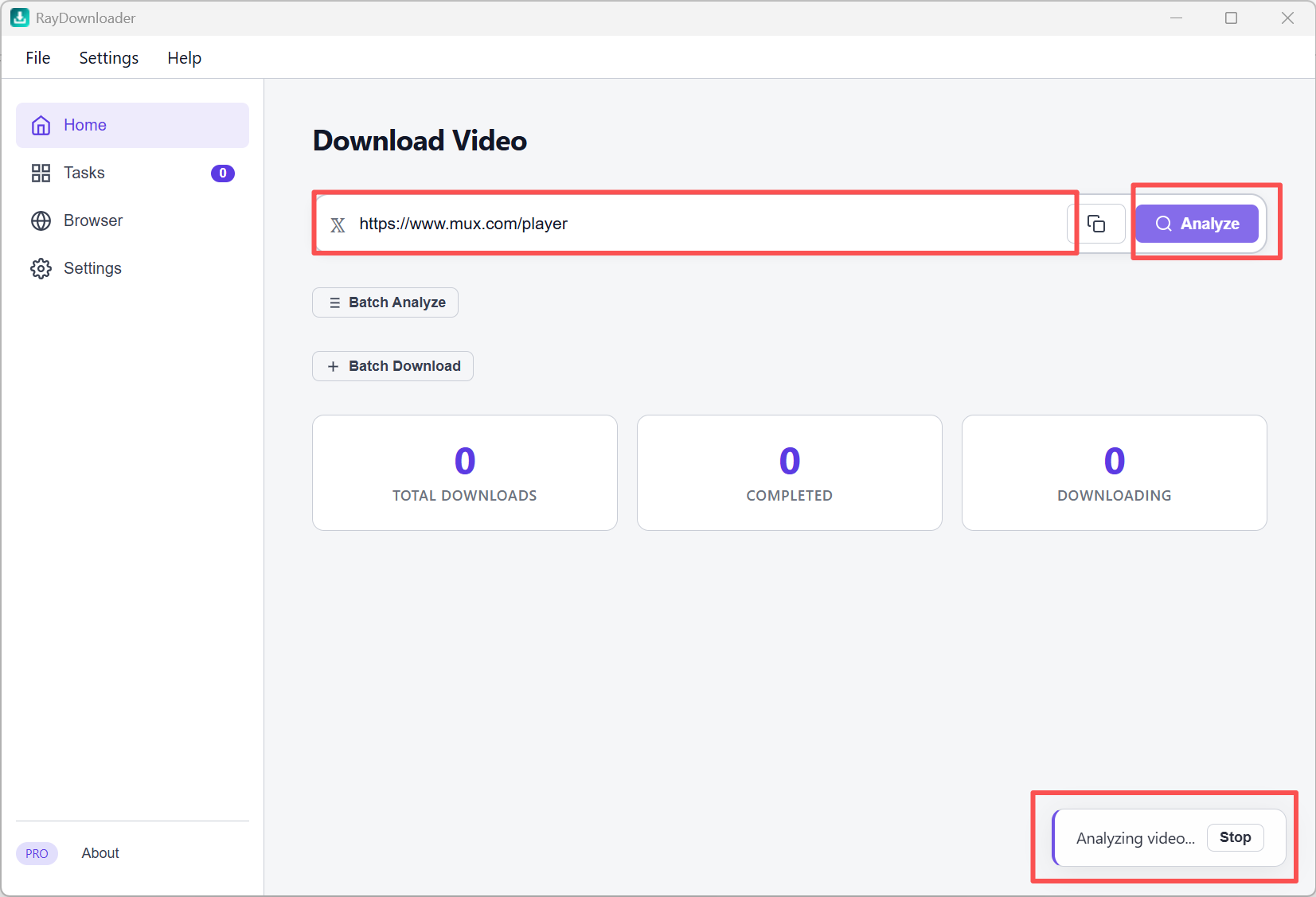
Step 1: On the Home page, paste a video URL into the address field (YouTube, Bilibili, Douyin, Youku, TikTok, Instagram, Twitter/X, Vimeo, or a direct MP4/M3U8 link), then click the purple Analyze button. Wait until analysis finishes.
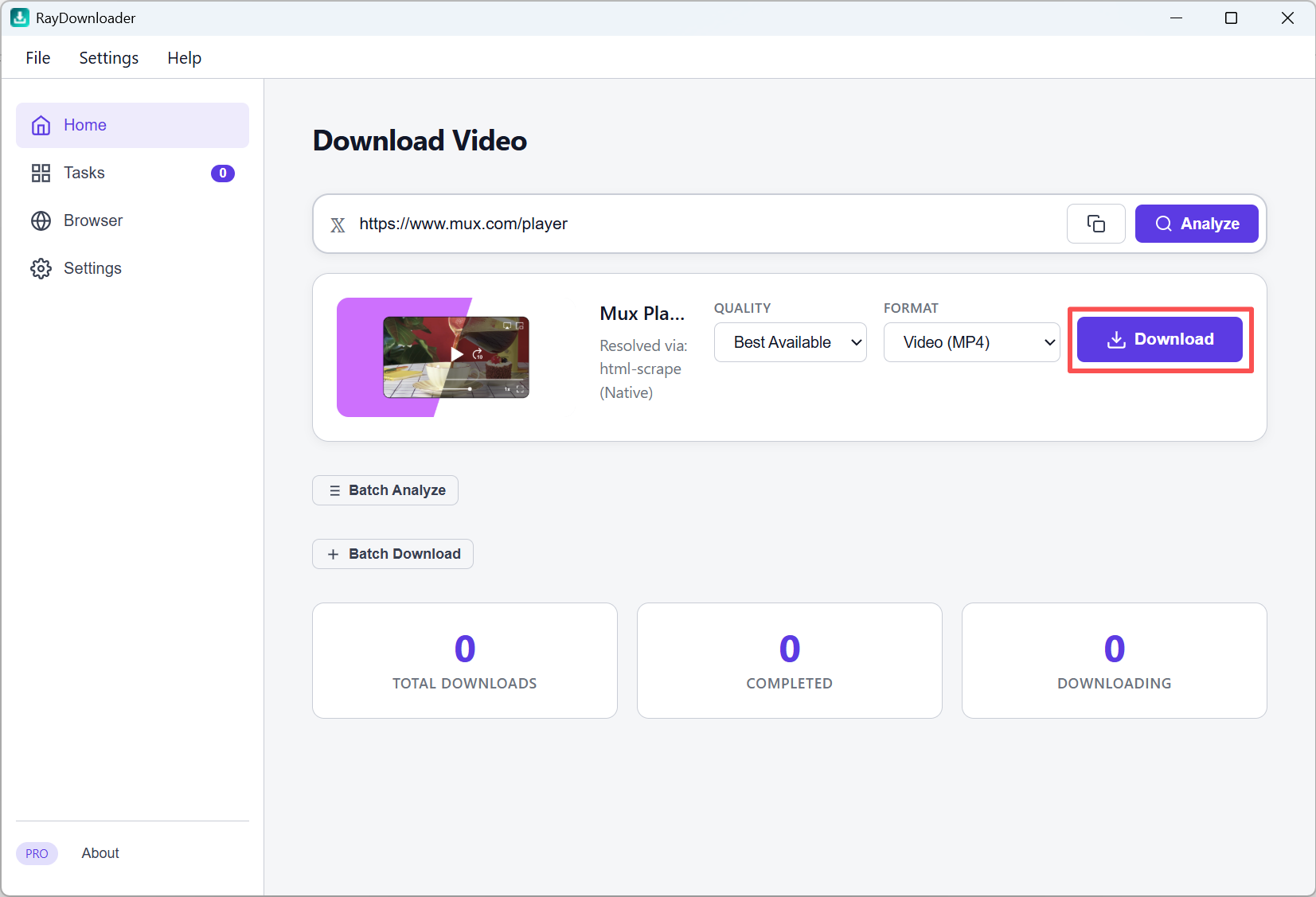
Step 2: When the preview card appears, choose a listed Quality and Format, then click Download. The selected analyzed resolution is requested exactly; if it is no longer available, the task reports a failure instead of silently saving a lower resolution.
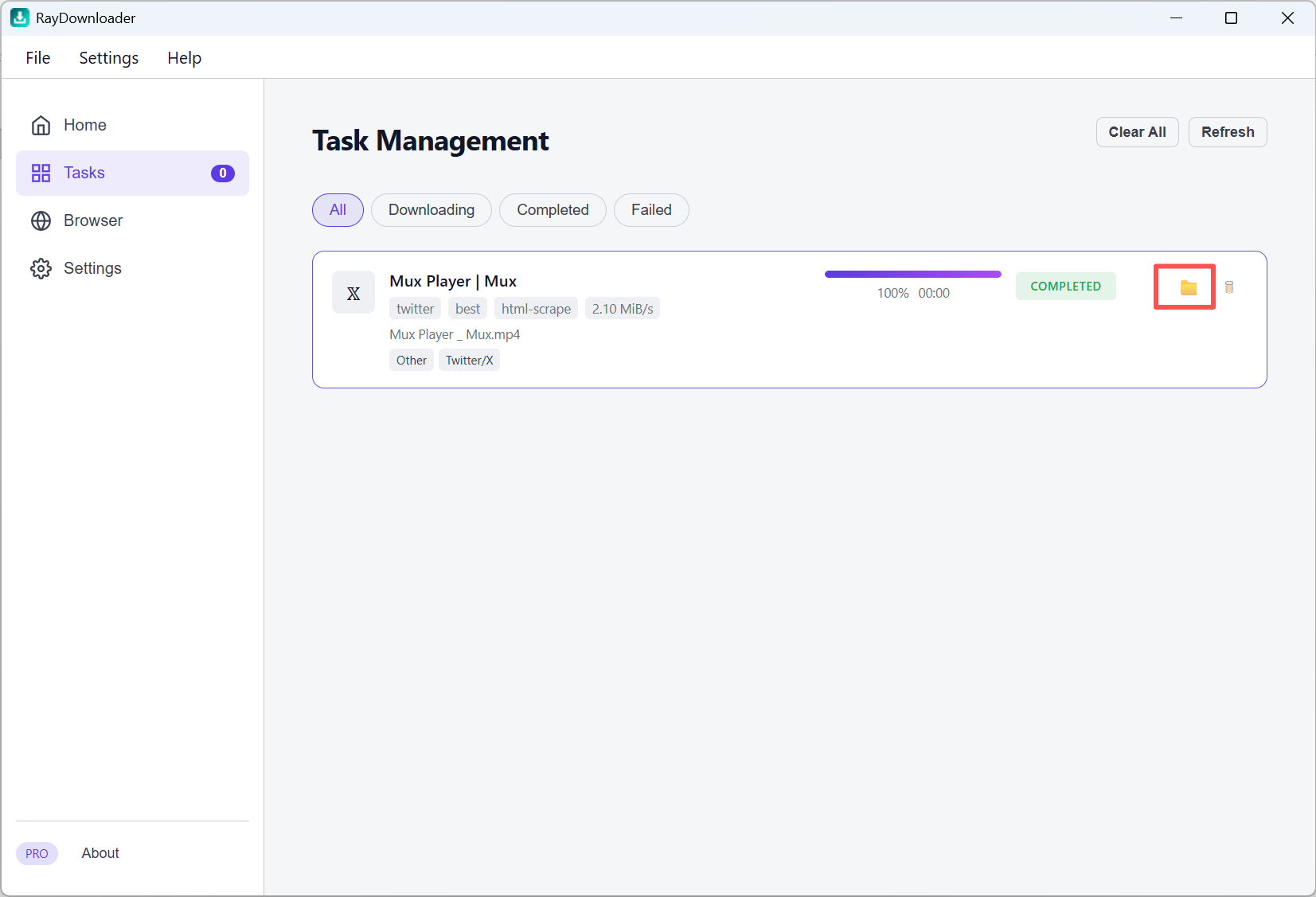
Step 3: Click Tasks in the left sidebar to watch progress and the actual downloaded resolution. You can pause and resume without discarding supported partial downloads. When the status shows Completed, click the folder button on that task row to open Explorer with the exact saved file selected.
That is all — your video is saved under the path set in Settings → Download Path.