Driver Health (under Performance) shows a driver score, devices that need updates, and Windows Update suggestions.
Step 1: Go to Performance → Driver Health. Click Rescan to refresh the device list, or Check Windows Update for suggested updates. You can also use Backup drivers before making changes.
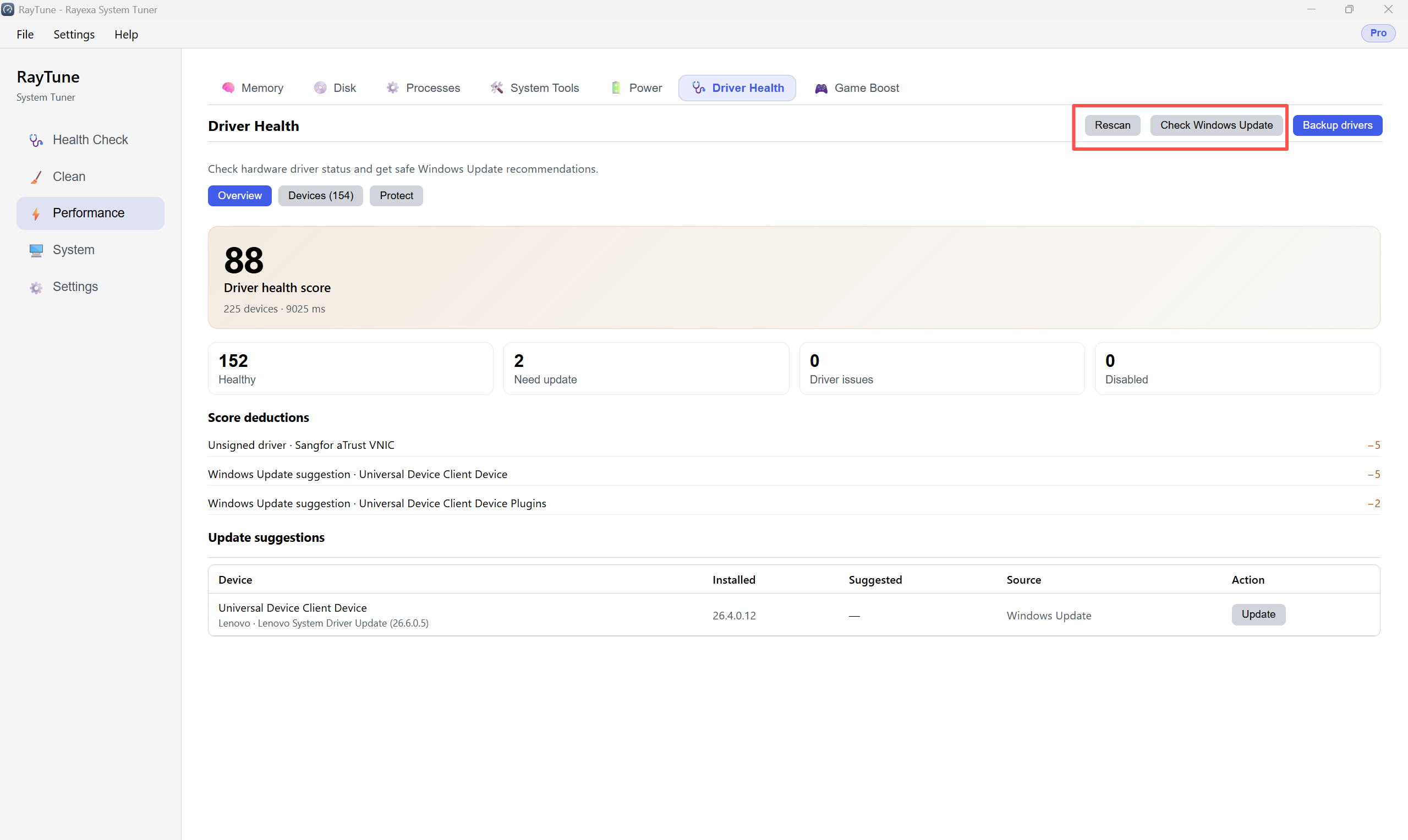
Step 2: Review the score and summary (Healthy / Need update / Issues). In Update suggestions, click Update on a device row when you want to apply a recommended driver. Open the Devices tab for the full list.