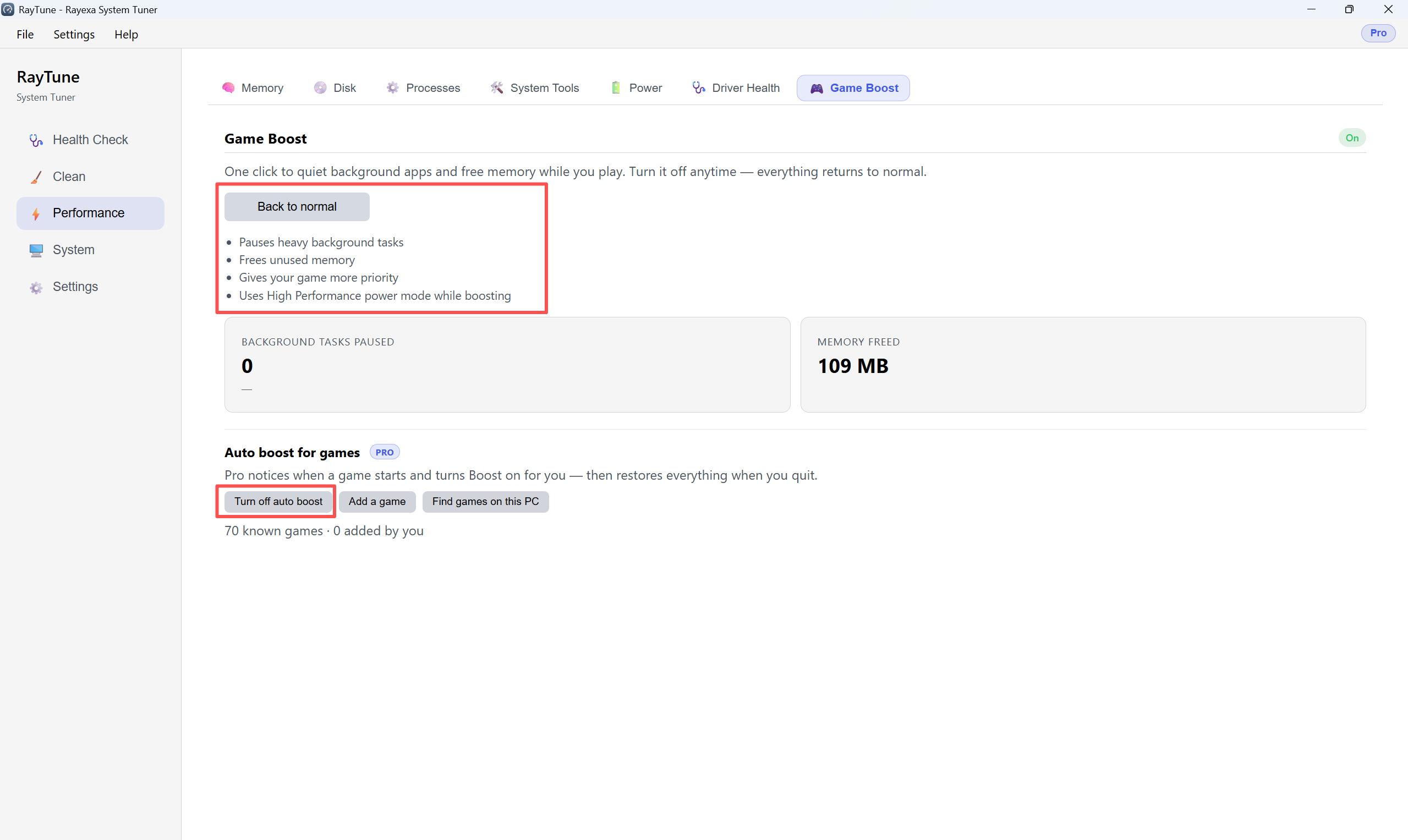
Game Boost quiets background apps and frees memory while you play. Open Performance → Game Boost.
Step 1: Click Start Game Boost. RayTune pauses heavy background tasks, frees unused memory, raises game priority, and uses High Performance power mode. Optionally turn on Auto boost for games (Pro), or use Add a game / Find games on this PC.
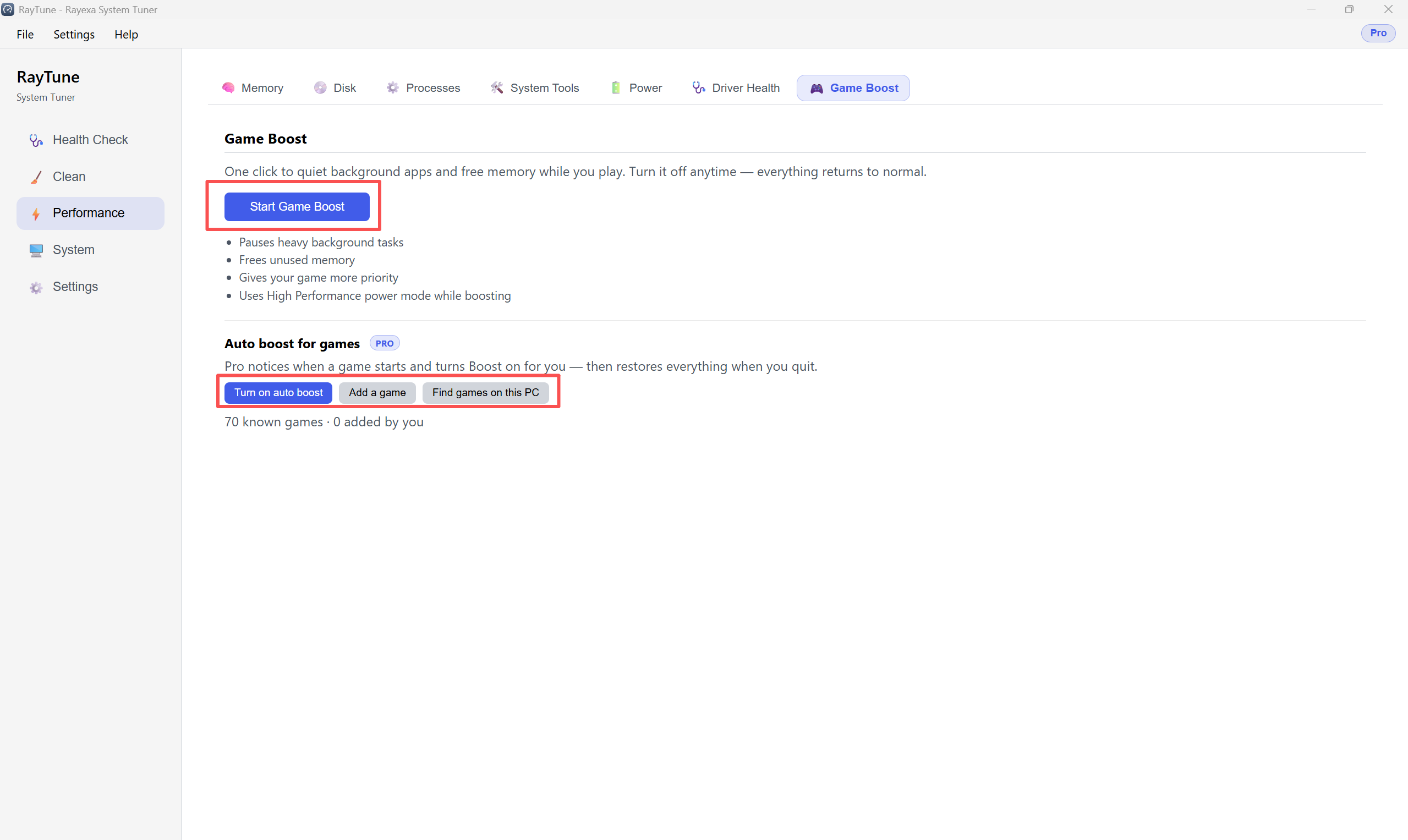
Step 2: While Boost is on, the toggle shows On. Check Background Tasks Paused and Memory Freed. When you finish playing, click Back to normal. To stop automatic boost, click Turn off auto boost.