Ray Video Converter converts FLV, AVI, MP4/M4V, WebM, MKV, MOV, and WMV to formats such as MP4 (H.264). You can convert one file or a batch. Follow the steps below.
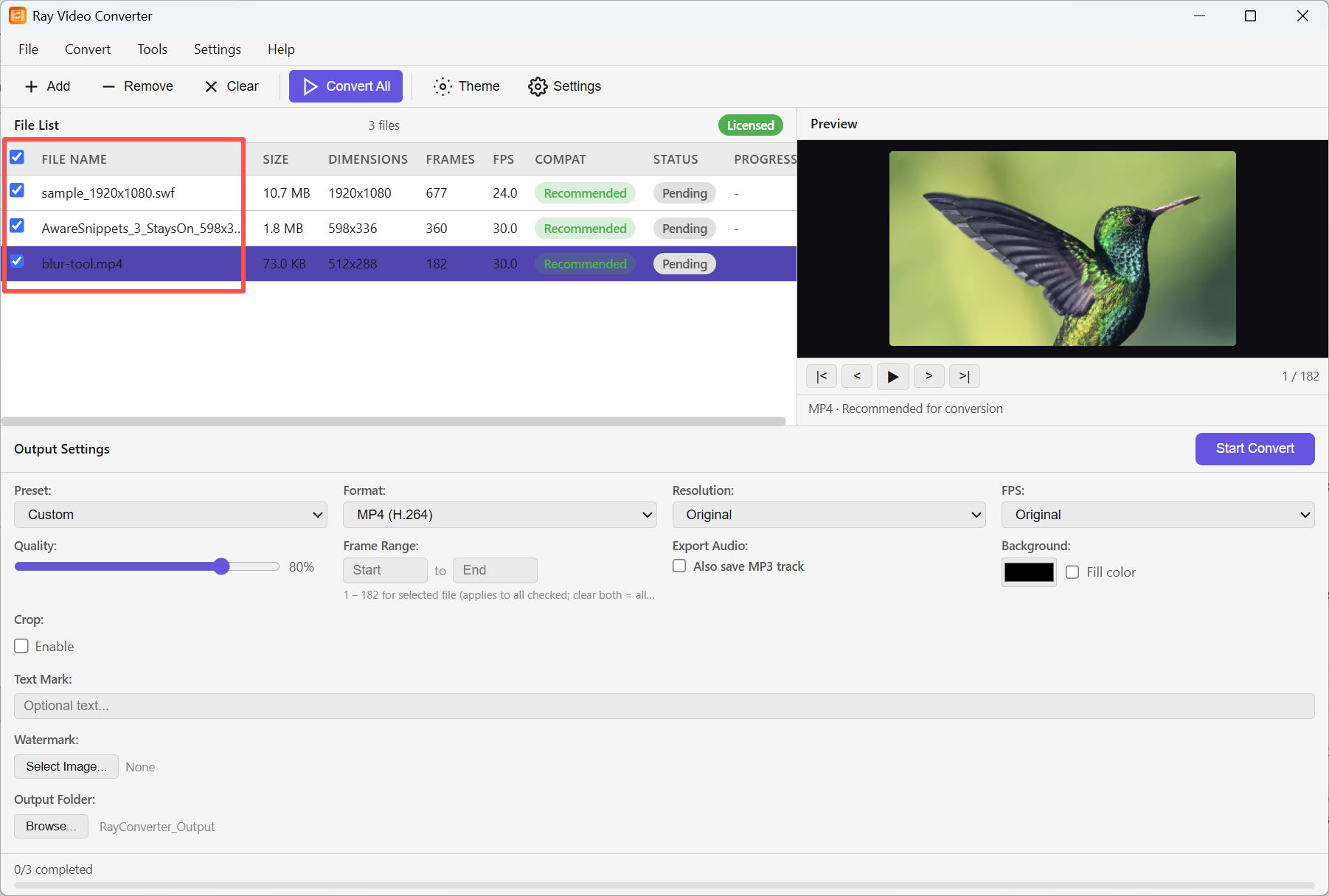
Step 1: Click + Add (or drag files onto the list). Select a file to preview it. Compatibility shows Recommended when the file is a good match for conversion.
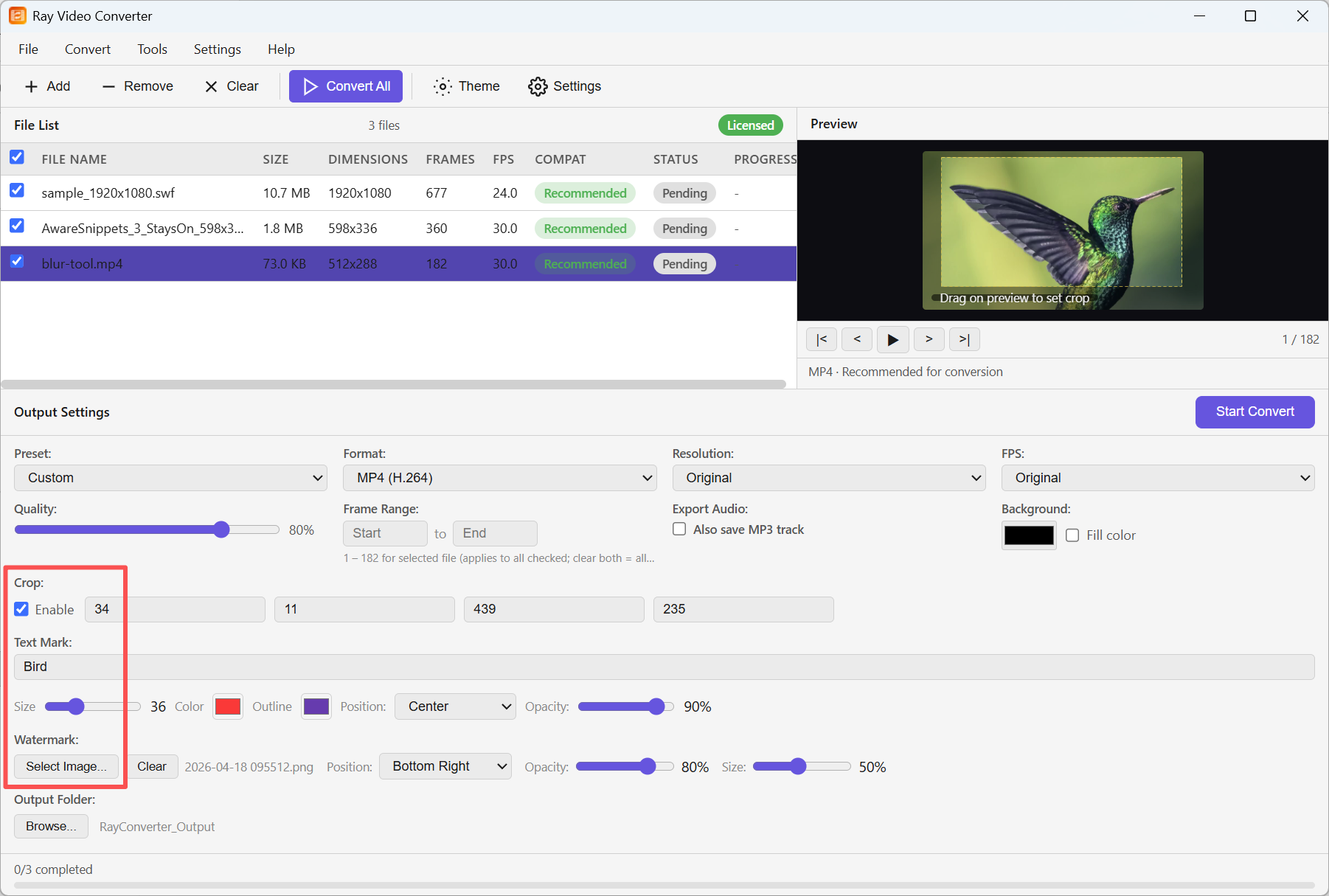
Step 2: In Output Settings, choose format, quality, and Output Folder. Optionally enable Crop (drag on the preview), set a Text Mark, and/or select an image Watermark with position, opacity, and size.
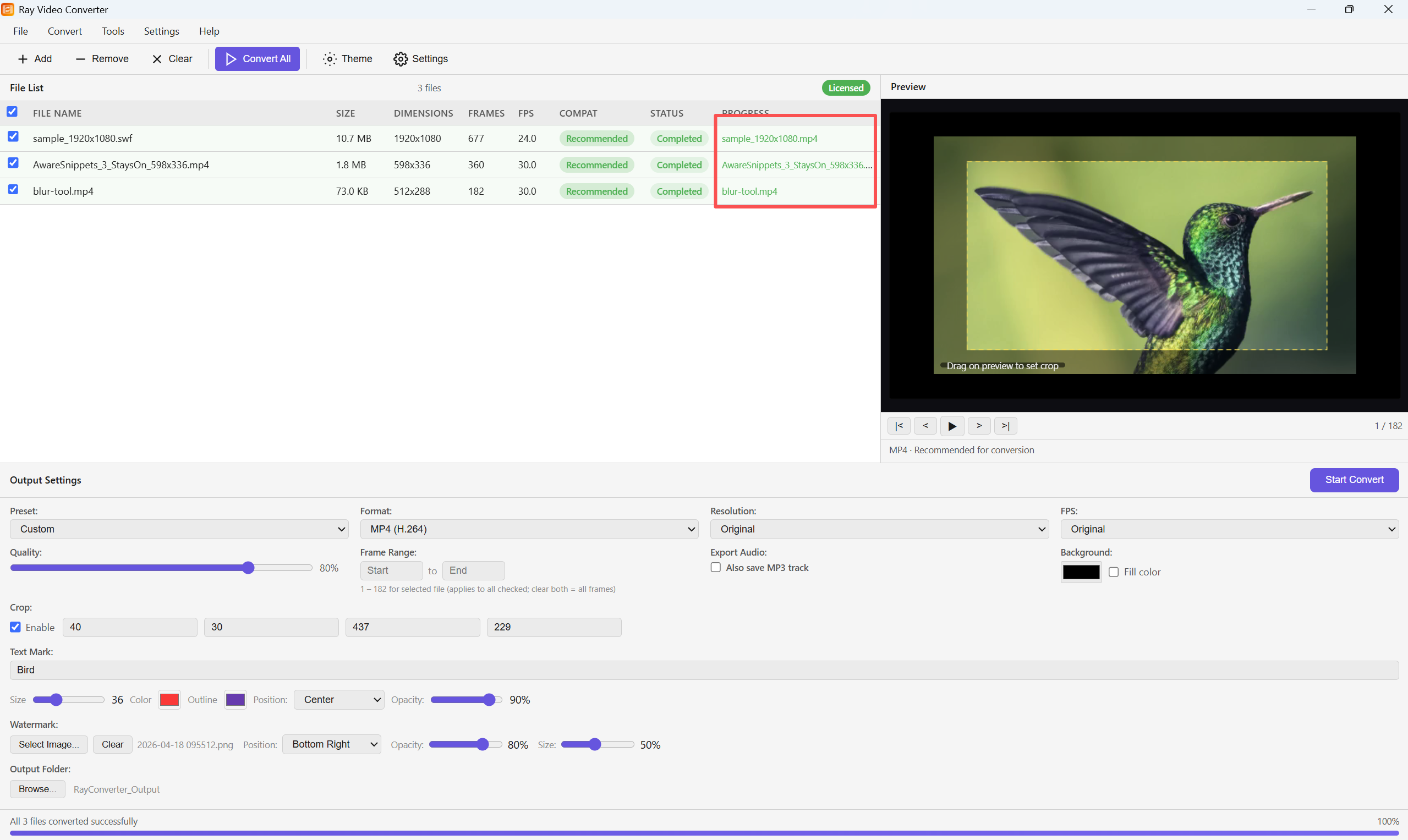
Step 3: Click Convert All (or Start Convert). When finished, each row shows Completed with the output file name, and the status bar reports that all files converted successfully.